Managing Technical Specs for Corporate Events: A Full Guide
Last Updated: October 28, 2026
Quick Summary
Managing technical specs for corporate events means treating them as one controlled document, not scattered attachments. Put every requirement in a single rider with a version number, date and named owner, so each vendor quotes against the same current version. Most event failures trace back to specs that drifted apart across inboxes.
- Date and version every revision so nobody works from an outdated sheet.
- Send changes as a complete revised document, never as a list of edits in an email thread.
- Write screen target image height into the rider, not just the screen diagonal.
- Specify a backup for every microphone, playback source and encoder in the signal path.
- Check the rider version against the checklist version before anyone signs off.
Table of Contents
- Why Technical Specs Break Down at Corporate Events
- Building a Technical Rider Your Vendors Can Actually Use
- AV Requirements for Corporate Events by Format and Venue
- Building a Corporate Event Production Checklist
- Creating an Event Production Schedule Template That Holds
- Rehearsal, Testing, and Technical Sign-Off
- Planning for Accessibility and Failure Before Your Next Corporate Event
- Frequently Asked Questions
Why Technical Specs Break Down at Corporate Events
Most corporate events do not fail because someone chose the wrong microphone. They fail because the technical specifications lived in three different inboxes, were written for three different vendors, and nobody checked whether they agreed.
Managing technical specs for corporate events means treating them as one controlled document rather than a pile of attachments. Coordinating several vendors against a single rider is covered in How Do You Coordinate Multiple Event Vendors?.
Watch out: the most common failure is a spec that was accurate when written and became wrong after a late change in room size, speaker count or streaming plan.
Building a Technical Rider Your Vendors Can Actually Use
A technical rider is the document that tells every vendor and venue what the event needs. A useful rider is short enough to read in one sitting and specific enough that a vendor can quote from it without calling you with questions.
The Sections Every Technical Rider Needs
Organize the rider so each section answers one question a vendor will ask:
- Event overview: date, load-in and load-out times, room name, expected attendance
- Stage and staging: dimensions, height, riser layout and any fixed structures
- Audio: number of microphones by type, speaker coverage, playback sources
Keep requirements in plain numbers where possible. "Two wireless handheld microphones" is actionable. "Adequate audio for the room" is not.
Version Control and Approval Workflows
Every rider needs a version number, a date and a named owner. Send changes as a complete revised document, never as a list of edits buried in an email thread. Ask each vendor to confirm the version they are quoting against.
A simple approval flow works well: the planner drafts, the production lead reviews for feasibility, and the client signs off on scope and budget before vendors lock in equipment.
AV Requirements for Corporate Events by Format and Venue
The same technical needs look very different depending on format. A seated awards dinner in a hotel ballroom needs different coverage than a standing product launch in a converted warehouse. You can explore sound, LED video, lighting and live streaming for conferences and galas offered for corporate events. For a look at lighting options by event type, see stage lighting for corporate events.
| Event format | Typical audio focus | Typical video focus | Key venue check |
|---|---|---|---|
| Keynote and conference session | Speech reinforcement, lapel or handheld mics | Confidence monitors, one or two projection screens | Ceiling height and rigging points |
| Awards dinner | Speech plus playback, table-level coverage | Stage screens, sometimes a lower-third graphic system | Power near the stage and dining floor |
| Product launch | Music and speech balance, possibly stage monitors | Large LED or projection, live camera feeds | Load-in access and dark-room control |
| Hybrid or streamed event | Clean feeds for the stream, separate program mix | Camera switching and encoder output | Reliable internet with upload capacity |
| Town hall or all-hands | Speech reinforcement, audience Q&A mics | Single large screen, presenter confidence monitor | Room acoustics and sightlines from the back row |
| Training or breakout session | Speech plus playback, room-level coverage | One screen per room, content sharing | Wall placement and cable runs to the front |
Screen Sizing and Sightlines
Screen size is the spec most often guessed. A common rule of thumb is that the image height should be at least one-sixth of the distance from the screen to the farthest seat, and one-eighth is a safer target for detailed content like spreadsheets or code.
Check sightlines before you commit. Columns, chandeliers, low ceilings and a stage that is too low all break sightlines. Mark the worst seat on the floor plan and confirm the screen clears it.
Microphone Plans by Format
A microphone plan lists every microphone by type, position and purpose, plus a backup for each. A keynote typically needs one lapel or headset for the presenter, two handhelds for Q&A, and a backup of each.
Write the plan as a count and a position: "two wireless handhelds, stage left and stage right, plus one spare bodypack." That is quotable. "Good audio coverage" is not.
Signal Path and Redundancy
Specify the signal path from source to output. For a streamed event, that means naming the camera outputs, the switcher, the encoder and the program feed, and stating which audio mix goes to the room and which goes to the stream.
Identify single points of failure in the path. One laptop running all content, one wireless receiver for every microphone, and one encoder for the stream are common ones. Name a backup for each and write it into the rider.
Connectivity and Bandwidth
Venue networks are often shared and not built for live streaming. Request a dedicated line or a bonded connection when the stream is mission critical, and ask the venue to confirm upload capacity in writing.
For hybrid events, specify the upload target and the fallback. If the primary connection drops, the fallback might be a bonded cellular router or a recorded backup that can be posted after the event.
Venue-Specific Checks
Hotel ballrooms usually have rigging restrictions and shared power, so confirm rigging points and circuit capacity early. Converted warehouses often have great load-in access but poor acoustics and no dark-room control, so plan for blackout and sound treatment. Conference centers usually have house AV, and the check is whether you can integrate your gear with theirs or need to bring a full package.
Building a Corporate Event Production Checklist
A checklist turns the rider into a schedule of tasks with owners and deadlines. Work backward from the event date, and assign each item a due date at least one week before the event for anything that involves a vendor or a permit. Before deciding which support services to include, you can review live event technical support service pricing.
Core checklist categories include:
- Venue confirmation, floor plan approval and site access times
- Equipment list confirmed against the current rider version
- Power, rigging and internet verified in writing by the venue
- Speaker, presenter and content file collection with a firm deadline
- Crew call times, roles and radio or communication channels
- Contingency equipment list, including spare microphones and batteries
Check off items against the version number on the rider, not against memory. If the rider changes, the checklist changes with it.
Creating an Event Production Schedule Template That Holds
A production schedule, sometimes called a run of show, lists every timed element of the event in order. It is the document the stage manager and crew follow minute by minute.
A workable template has these columns: start time, duration, segment name, presenter, audio cue, video cue, lighting cue and notes. Keep the cue columns specific.
Build in buffer time between segments, usually five minutes for a conference and more for anything involving a stage transition. Share the schedule with the venue, the client and every vendor, and label it with the same version number as the rider.
Rehearsal, Testing, and Technical Sign-Off
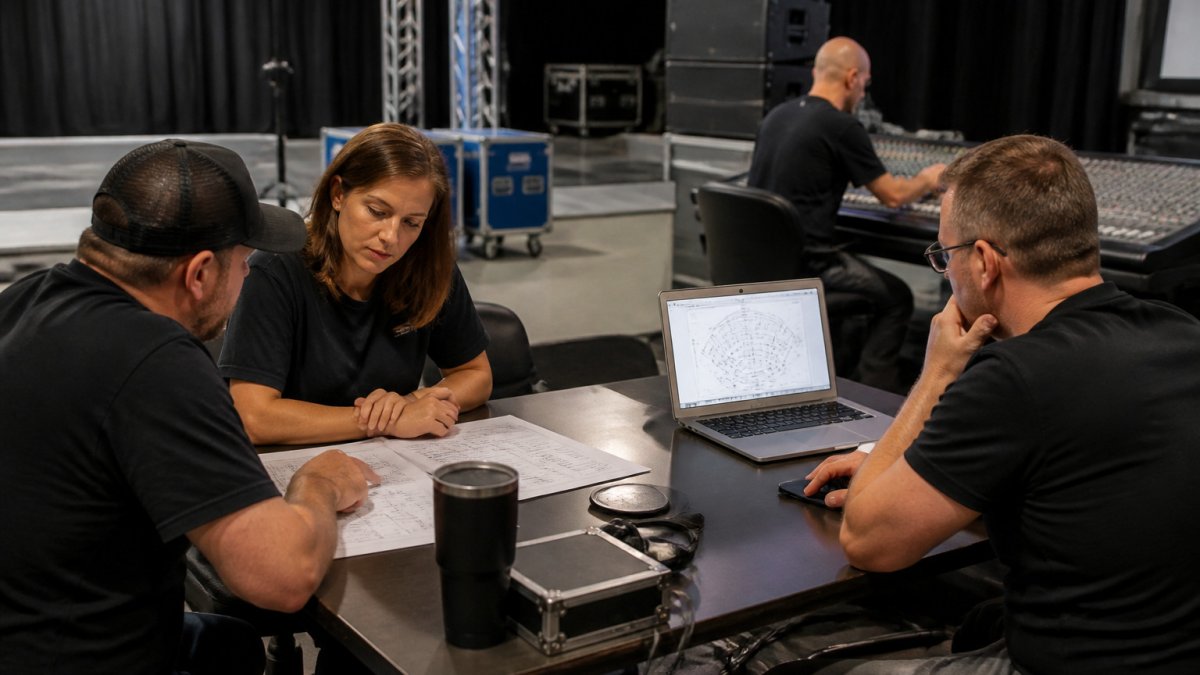
Rehearsal is where specs get proven or caught. A full run-through with the presenters, the content in its final format and the actual equipment reveals problems that no document can. Schedule it after load-in and before doors open, and schedule a second, shorter check on show day for anything that changed overnight.
Test Procedures and Acceptance Criteria
A test without a pass condition is just a look. Write each test with an acceptance criterion so the crew knows when to stop and when to escalate.
- Microphones: Walk each microphone to the back row and confirm intelligibility at the target level. Pass when every microphone is audible at the back row and the backup is confirmed live. Fail when any microphone drops, feeds back, or the backup is not patched.
- Playback sources: Play each source in the exact file format and resolution the presenter will use. Pass when video plays without stutter and audio syncs. Fail on any format the player cannot open.
- Presenter slides: Open the final files on the show machine, not a laptop. Pass when fonts, video and transitions render as designed. Fail on missing fonts or embedded video that will not play.
Cue-to-Cue Checks
A cue-to-cue runs the show's cues without the full content, stopping at each cue to confirm the audio, video and lighting land together. It is faster than a full run-through and catches the timing problems that a document cannot. Run it with the stage manager calling cues and the crew executing them, and note every cue that needs adjustment.
Sign-Off and Escalation
Finish with a written technical sign-off. The production lead confirms that the built setup matches the approved rider version, and the client acknowledges it. A signed sign-off is the simplest way to settle later disputes over who approved what.
Write the escalation path into the sign-off document. Name who can approve a change on show day, who can authorize a backup swap, and who the client calls if something fails.
If your team is tired of coordinating specs across several vendors, the AudioBahn Productions team can review your rider and quote the production against a single version. Request a free quote and send your current rider so we can check it against your event date and venue.
Planning for Accessibility and Failure Before Your Next Corporate Event
Good technical design includes attendees who need captions, assistive listening or step-free access, and it plans for things going wrong.
Plan for failure before it happens. Identify single points of failure, such as one laptop running all content or one wireless receiver for all microphones.
If your team is tired of coordinating specs across several vendors, the AudioBahn Productions team can review your rider and quote the production against a single version.
Frequently Asked Questions
What is the difference between an event brief and a technical rider?
An event brief describes the goals, audience, agenda, and overall look of the event, while a technical rider lists the specific equipment, power, rigging, connectivity, and staffing needed to deliver it. The brief tells vendors what the event should accomplish; the rider tells them what to bring and how to set it up. Sharing both early lets your AV, lighting, and staging partners quote accurately and catch conflicts, such as a stage size that cannot support the planned truss, before contracts are signed.
What should be included in an event production schedule?
A production schedule should list load-in and load-out times, soundcheck and lighting focus windows, rehearsal blocks, doors, the run of show, and breakdown. Each line should name the responsible person or vendor and the room or area involved. Build in buffer time between setup tasks, especially where power distribution or rigging must be completed before audio or video can start. Circulate the schedule to every vendor and venue contact.
When should event organizers share technical specifications with vendors?
Share a first draft of technical specifications as soon as the venue and format are confirmed. Send a revised version after the agenda or room layout changes, and mark each version with a date and revision number so everyone works from the same document.
How do you prepare for technical problems during a live event?
Identify the single points of failure in your setup, such as a lone microphone receiver, one video feed, or a single power circuit, and plan a backup for each. Keep spare batteries, cables, and a second wireless channel ready, and assign one technical lead who has authority to make decisions during the show. Run a rehearsal that includes a simulated failure so the team knows the escalation path.

Sound, lighting, staging and LED video. Free quote.
Frequently Asked Questions
What is the difference between an event brief and a technical rider?
An event brief describes the goals, audience, agenda, and overall look of the event, while a technical rider lists the specific equipment, power, rigging, connectivity, and staffing needed to deliver it. The brief tells vendors what the event should accomplish; the rider tells them what to bring and how to set it up. Sharing both early lets your AV, lighting, and staging partners quote accurately and catch conflicts, such as a stage size that cannot support the planned truss, before contracts are signed.
What should be included in an event production schedule?
A production schedule should list load-in and load-out times, soundcheck and lighting focus windows, rehearsal blocks, doors, the run of show, and breakdown. Each line should name the responsible person or vendor and the room or area involved. Build in buffer time between setup tasks, especially where power distribution or rigging must be completed before audio or video can start. Circulate the schedule to every vendor and venue contact.
When should event organizers share technical specifications with vendors?
Share a first draft of technical specifications as soon as the venue and format are confirmed. Send a revised version after the agenda or room layout changes, and mark each version with a date and revision number so everyone works from the same document.
How do you prepare for technical problems during a live event?
Identify the single points of failure in your setup, such as a lone microphone receiver, one video feed, or a single power circuit, and plan a backup for each. Keep spare batteries, cables, and a second wireless channel ready, and assign one technical lead who has authority to make decisions during the show. Run a rehearsal that includes a simulated failure so the team knows the escalation path.