7 Steps to Verify Technical Event Specs Before Show Day
Last Updated: October 30, 2026
Quick Summary
To verify technical event specs, gather every document that defines them, confirm venue power and connectivity on site, and set pass/fail acceptance criteria for each spec in a specification matrix. Then run an equipment checklist against the actual room, hold an AV walkthrough, and sign off after a full technical rehearsal.
- Collect signed contracts, current riders, venue floor plans, power details, and the run of show as final versions.
- Give every act the same technical rider template so requirements are compared consistently.
- Run connectivity speed tests on site during business hours, when the building is busy.
- Each acceptance criterion needs a spec, test method, pass threshold, and named owner.
- Schedule the AV system walkthrough at least a week before the event, not the morning of.
Table of Contents
- Step 1: Gather Every Document That Defines the Technical Event Specs
- Step 2: Build a Technical Rider Template for Bands and Presenters
- Step 3: Confirm Venue Capabilities, Power, and Connectivity
- Step 4: Set Pass/Fail Acceptance Criteria for Every Spec
- Step 5: Run an Event Production Equipment Checklist Against the Venue
- Step 6: Schedule an AV System Walkthrough and Evaluation
- Step 7: Hold a Technical Rehearsal and Sign Off on the Specs
- Book Your Free Walkthrough and Spec Review
- Frequently Asked Questions
Step 1: Gather Every Document That Defines the Technical Event Specs
Technical event specs are the written requirements that define what a show needs to run: audio, video, lighting, staging, power, and connectivity. For a broader look at managing technical specs for corporate events, see our full guide. Missing paperwork is a common cause of show-day surprises.
Here is what to collect:
- The signed contract and any amendments
- The current technical rider from each performer or speaker
- Venue floor plans, rigging notes, and power details
Ask for final versions, not drafts. A rider that changes two weeks out is a different show.
Step 2: Build a Technical Rider Template for Bands and Presenters
A technical rider template is a standard form that captures every input a performer needs: channel list, monitor mixes, microphone types, backline, and stage plot.
A common mistake is accepting a rider written for a different venue. A band's rider from a club with a house console will not translate to a hotel ballroom.
Your template should capture:
- Input list with exact models where they matter
- Stage plot with positions and dimensions in feet
- Monitor and side-fill requirements
Get supplier confirmation in writing on anything the rider lists as "provided." Verbal promises disappear.
Step 3: Confirm Venue Capabilities, Power, and Connectivity
Venue capabilities decide what is even possible. Before you promise a design, confirm the room can carry it. Walk the space with the venue's engineer and write down what you find.
Power and Bandwidth Checks
Power and bandwidth are the two specs that fail silently. Both need a real test, not a brochure.
For power, confirm:
- Available circuits and their locations
- Whether audio and lighting sit on separate service
- Generator needs for outdoor or temporary stages
For connectivity, confirm:
- Wired internet speed at the console position
- Whether guest Wi-Fi is separate from production network
- Upload bandwidth for any live stream or hybrid event
Run a speed test on site during business hours, when the building is busy. An empty venue at 7 a.m. tells you nothing.
Step 4: Set Pass/Fail Acceptance Criteria for Every Spec
Acceptance criteria turn a vague checklist into a decision. Each spec gets a clear line: it passes or it does not. This is the step most guides skip, and it is the one that saves shows. The trick is writing criteria that are measurable, not aspirational, "audio sounds good" is not a criterion, but "every playback file plays from the show computer with no dropouts during a full run" is.
Write Criteria That Can Actually Fail
A useful acceptance criterion has four parts: the spec, the test method, the pass threshold, and the owner. If any of those is missing, the criterion is a wish. Most practitioners find that the threshold is the part teams argue about, so agree on it with the client before show week, not during rehearsal.
Use qualified, testable language. Examples of the pattern:
- Audio playback: every show file plays start to finish from the show computer with no dropouts or format errors during a full run.
- Video resolution: every source matches the display's native format, and no source requires on-the-fly scaling during the show.
- Microphone count: every input on the rider is present, tested, labeled, and assigned to a console channel.
Avoid inventing a single number that applies to every room. A hotel ballroom and a church sanctuary have different realities. Instead, set the threshold against the venue's confirmed capability and the show's actual demand, and write both numbers down so the pass/fail line is defensible.
Build a Specification Matrix, Not Just a Table
The table below is the minimum. A full specification matrix adds columns for the test method, the evidence (photo, screenshot, signed note), the discrepancy status, and the approval. That matrix becomes the document you hand the client at sign-off.
| Spec | Test Method | Pass Criteria | Owner | Status |
|---|---|---|---|---|
| Audio playback | Full run from show computer | No dropouts or format errors | A1 | Open |
| Video resolution | Source-by-source check at display | All sources match native format | Video lead | Open |
| Microphone count | Input-by-input test and label | Every rider input present and assigned | A2 | Open |
| Connectivity | On-site load test during business hours | Wired speed holds under show-day load | Production manager | Open |
| Lighting cues | Cue-by-cue rehearsal | Every cue fires in order | LD | Open |
| Power | Circuit walk with venue engineer | Separate service confirmed, headroom documented | Production manager | Open |
Track Discrepancies and Assign Sign-Off
A criterion that fails is not a crisis, an untracked failure is. Log every gap with three fields: what failed, who owns the fix, and the date it must close. Anything still open 48 hours before the show escalates to the production manager and the client.
Sign-off on the criteria belongs to one named person on the production side and one on the client side. Two signatures, one matrix.
Review the matrix with the client before show week. Agreement up front prevents arguments later, and a written threshold is the only thing that settles a dispute about whether the audio "sounded fine."
Step 5: Run an Event Production Equipment Checklist Against the Venue
An event production equipment checklist is only useful when you run it against the actual room. Take the list to the venue and check each line on site.
Work through it in this order:
- Audio: console, speakers, microphones, cabling
- Video: projectors, screens, switchers, sources
- Lighting: fixtures, positions, control
Mark three states: confirmed, gap, and unknown. To fill the gaps, browse our PA, lighting and wireless mic rentals to see what gear is available. Unknown is not confirmed. Chasing an unknown the week of the show is how gaps become failures.
Step 6: Schedule an AV System Walkthrough and Evaluation
An AV system walkthrough and evaluation is a hands-on review of the whole system in the room, with the people who will run it.
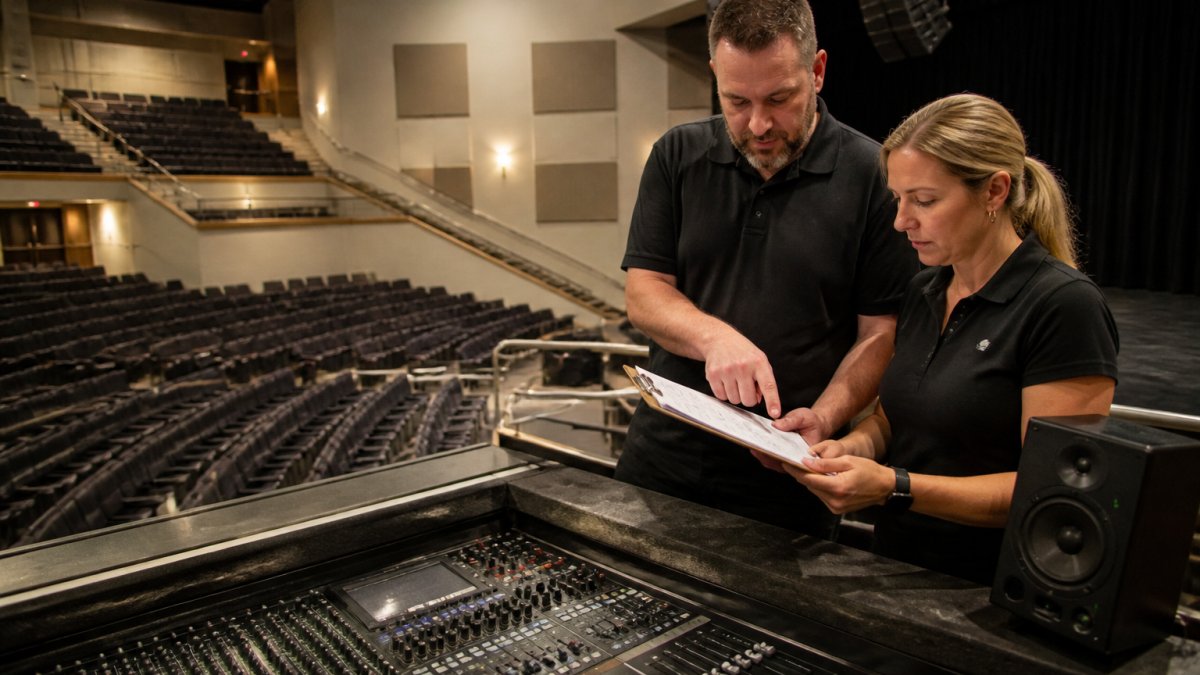
During the walkthrough:
- Power up every system and leave it running
- Test every input, output, and backup path
- Confirm cable runs and label them
AudioBahn Productions offers a free walkthrough and evaluation of your system. You can also review our event production services to see what production support is offered.
Step 7: Hold a Technical Rehearsal and Sign Off on the Specs
A technical rehearsal is a full run of the show with every cue, transition, and playback in place. It is the last chance to catch a failure before an audience does. But a rehearsal that only proves the happy path is half a rehearsal. The strongest rehearsals also test the failure paths, the accessibility paths, and the handoff to show-day ownership.
Run It Like the Real Thing, Then Break It on Purpose
Use the actual show files, the actual clicker, and the actual presenters. Then deliberately test the failure modes you ranked as highest risk: pull the primary playback source and confirm the backup takes over, disconnect the presenter's laptop and confirm the switcher fallback works, and simulate a network drop if the show depends on connectivity.
Rank your risks before rehearsal so you know what to break. A simple pattern most production teams use:
- High likelihood, high impact: test first, and require a documented backup before sign-off.
- Low likelihood, high impact: confirm a written contingency and a named responder, even if you do not run the full simulation.
- High likelihood, low impact: assign an owner and a quick fix, and note it in the matrix.
That ranking is what turns a checklist into a contingency plan. Every high-impact risk needs a backup system, a named responder, and an escalation trigger written down, not assumed.
Verify Accessibility and Inclusive Technical Requirements
Accessibility is a technical spec, not an afterthought. During rehearsal, confirm:
- Captioning or live transcription is running and synced to the actual presenters, not a test file.
- Assistive listening is tested from a seat in the audience, not just at the rack.
- Presentation formats are accessible, readable contrast, alt text on key slides, and files provided in a format the client can distribute afterward.
A captioning feed that works in the booth but not on the house displays is a failed spec. Test it where the audience sits.
Sign Off With Documentation, Not a Handshake
Sign-off should confirm:
- Every acceptance criterion passed or has a documented workaround approved in the specification matrix.
- Each system has a named owner for show day, with a backup name for each critical system.
- The contingency plan is written down, with escalation triggers and responder names.
The signed matrix, the run of show, the contingency plan, and the contact sheet should live in one shared folder the client and the production team can both reach. That folder is the handoff. If it does not exist, the show is not signed off, it is just hoped for.
If your team runs the room on volunteer labor, a rehearsal is also the training session. Walk the volunteers through the failure paths, not just the cues, so the people at the console on show day have already seen the backup work.
Book Your Free Walkthrough and Spec Review
Verifying technical event specs is not glamorous work. It is the difference between a show that runs and one that limps.
Bring us your rider, your venue, and your questions. Before you book, review our live event technical support service pricing for context. You can get a free quote for your event.
AudioBahn Productions handles scheduling, contracts, concert sound, stage lighting, staging, and backline. Get started with AudioBahn Productions and walk into show day with a spec you can trust.
Frequently Asked Questions
What is the difference between a technical rider and event specs?
A technical rider is the performer's or presenter's list of what they need: microphones, monitor mixes, backline, lighting cues, and playback formats. Event specs are the broader document that reconciles those needs with the venue, schedule, and production plan. The rider feeds into the specs, but the specs also cover power, internet, rigging, load-in times, and who owns each task. Verify both, then confirm the final version in writing with the venue and every supplier so no one works from an outdated copy.
What should be included in a technical event specification document?
Include the run of show, venue floor plan and capacities, an equipment list with exact models, audio and video signal flow, display resolution and codec requirements, power drops and amperage, internet speed and bandwidth, load-in and load-out windows, accessibility needs, and a named owner for each item. Add acceptance criteria so each line can be marked pass or fail. Finish with a sign-off page listing who approved the final version and the date, so changes after that point go through one controlled revision.
How do you verify power requirements for event equipment?
Add up the amperage draw of every device on each circuit, then compare it to the venue's available service and outlet locations. Confirm the panel location, breaker sizes, and whether the venue requires a licensed electrician for tie-ins. Walk the room with the venue's engineer and label each circuit before load-in. Leave headroom rather than running circuits at capacity, and write the verified numbers into the spec sheet so the crew on show day works from confirmed data instead of assumptions.
Why is a pre-event technical walkthrough important?
A walkthrough catches mismatches that paperwork hides: a projector that cannot hit the required screen size, a wireless microphone frequency that conflicts with the building, or a loading dock too small for the truck. It also lets you test signal paths and confirm internet speed on site. Schedule it early enough to fix problems, invite the venue contact and key suppliers, and record findings in the spec document. AudioBahn Productions offers a free walkthrough and evaluation of your system, with upgrade recommendations limited to what the event actually needs.

Sound, lighting, staging and LED video. Free quote.
Frequently Asked Questions
What is the difference between a technical rider and event specs?
A technical rider is the performer's or presenter's list of what they need: microphones, monitor mixes, backline, lighting cues, and playback formats. Event specs are the broader document that reconciles those needs with the venue, schedule, and production plan. The rider feeds into the specs, but the specs also cover power, internet, rigging, load-in times, and who owns each task. Verify both, then confirm the final version in writing with the venue and every supplier so no one works from an outdated copy.
What should be included in a technical event specification document?
Include the run of show, venue floor plan and capacities, an equipment list with exact models, audio and video signal flow, display resolution and codec requirements, power drops and amperage, internet speed and bandwidth, load-in and load-out windows, accessibility needs, and a named owner for each item. Add acceptance criteria so each line can be marked pass or fail. Finish with a sign-off page listing who approved the final version and the date, so changes after that point go through one controlled revision.
How do you verify power requirements for event equipment?
Add up the amperage draw of every device on each circuit, then compare it to the venue's available service and outlet locations. Confirm the panel location, breaker sizes, and whether the venue requires a licensed electrician for tie-ins. Walk the room with the venue's engineer and label each circuit before load-in. Leave headroom rather than running circuits at capacity, and write the verified numbers into the spec sheet so the crew on show day works from confirmed data instead of assumptions.
Why is a pre-event technical walkthrough important?
A walkthrough catches mismatches that paperwork hides: a projector that cannot hit the required screen size, a wireless microphone frequency that conflicts with the building, or a loading dock too small for the truck. It also lets you test signal paths and confirm internet speed on site. Schedule it early enough to fix problems, invite the venue contact and key suppliers, and record findings in the spec document. AudioBahn Productions offers a free walkthrough and evaluation of your system, with upgrade recommendations limited to what the event actually needs.