How to Avoid Technical Failures at Live Events
Last Updated: November 8, 2026
Quick Summary
Avoiding technical failures at live events starts with a written risk assessment that names every system on site and asks what happens if it dies mid-show. Test all event AV equipment the day before, build redundancy at single points of failure, and rehearse failover swaps so the crew can recover fast.
- Test every system in its final position the day before, not the morning of the show.
- Run a full technical rehearsal top to bottom with the same cues and operators.
- Put audio on one circuit and lighting on another so no single breaker carries the show.
- Apply a two-minute rule: switch to the backup path if the fault is not found.
- Record recovery time and fallback success in every debrief to track prevention metrics.
Table of Contents
- Start With a Risk Assessment Before the Load-In
- Run Event AV Equipment Testing Before Show Day
- Build Redundancy With Backup Equipment for Live Events
- Event Power Failure Prevention: Load, Circuits, and Backup Power
- Use a Live Event Troubleshooting Checklist During the Show
- Assign Failure Response Roles and Escalation Protocols
- Review Incidents After the Event to Prevent Repeat Technical Failures
- Book a Free System Walkthrough Before Your Next Event
- Frequently Asked Questions
Start With a Risk Assessment Before the Load-In
Avoiding technical failures at live events starts long before the first cable is run.
Sound, lighting, staging, power, video, and backline each get their own line item in a sound production plan. So does the venue itself.
A technical failure is any equipment or system fault that interrupts the show, degrades the audience experience, or forces a schedule change. That definition matters because it sets the scope of your planning.
Walk the venue in person. Note where power enters the room, where cable runs cross foot traffic, and which systems have no backup at all. Then rank each risk by likelihood and impact:
- High impact, high likelihood: no backup console, single power feed, untested wireless frequencies
- High impact, low likelihood: main PA amplifier failure, stage power loss
- Low impact, high likelihood: a dead microphone cable, a flickering fixture
- Low impact, low likelihood: spare batteries, gaff tape, adapters
The high-impact items get redundancy. The low-impact ones get a spare in the case.
FEMA's event planning and risk assessment guidance treats this as the foundation of any gathering plan, and production should work the same way.
Run Event AV Equipment Testing Before Show Day
Event AV equipment testing is a high-value task in live event production. Test everything on the day before, not the morning of.
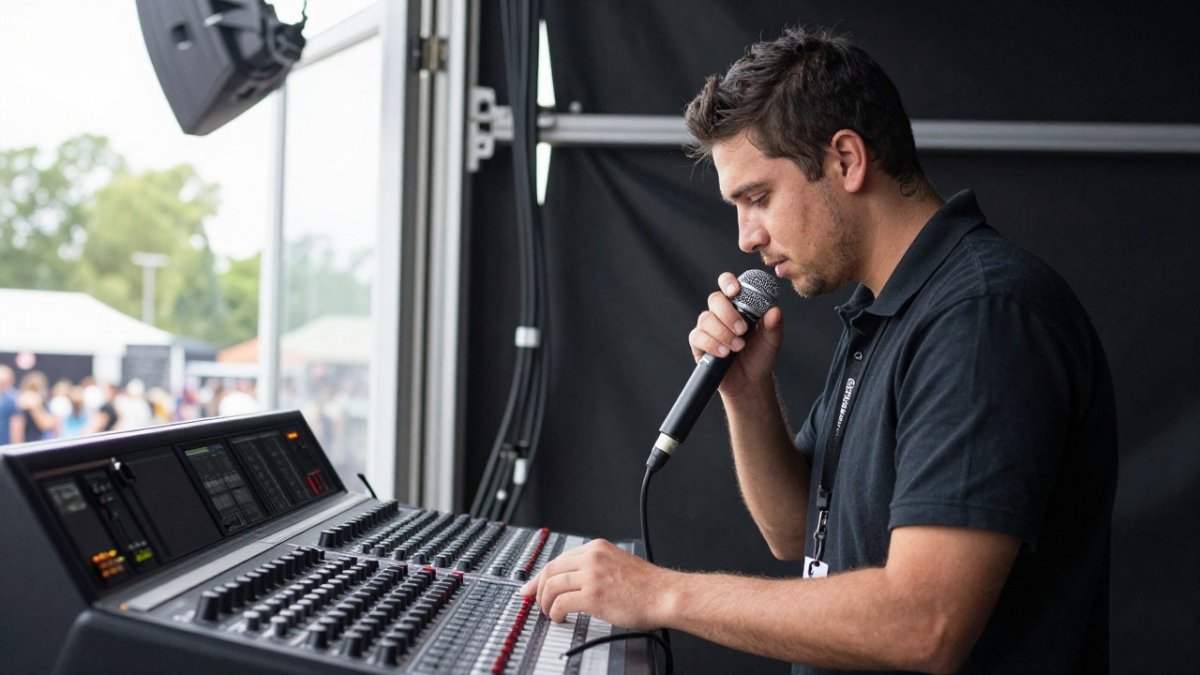
Here is the order we use:
- Power up every system in its final position, not on the bench
- Test every input on the console, one channel at a time
- Walk every wireless mic to the farthest point the talent will reach
- Run a full sound check at show volume, not a quiet line check
- Cue every lighting look in sequence, including blackouts
- Play back every video and audio file from the actual show machine
The common mistake is testing gear in isolation. A console that works alone can still fail once it is patched into a full system.
What most guides miss is the value of a technical rehearsal. Run the show top to bottom, in order, with the same cues and the same operators. Fix what breaks then, while you still have time.
For a structured method, see our walkthrough of how to verify technical event specs before show day.
Build Redundancy With Backup Equipment for Live Events
Backup equipment for live events is not about duplicating the whole rig. It is about covering the failure points that would stop the show, and then proving the backup actually works before the audience arrives.
Start by mapping every signal path end to end: source, cable run, processing, amplification, and output. Mark each point where a single failure would take down the show. Those are your redundancy targets. Prioritize spares in this order:
- Wireless microphones: a spare handheld and a spare bodypack, pre-tuned to the same frequencies as the primaries
- Cables: extra XLR, power, and signal runs in the lengths you actually use, coiled and labeled
- Lighting: one spare fixture per type, plus lamps, fuses, and a spare DMX terminator
- Consoles: a second console or a saved show file on a matched unit, with the file loaded and verified
- Power: a backup circuit on a separate leg and a tested generator for outdoor shows
- Playback: a second machine with the show files mirrored, not just copied
Redundancy design can go beyond spare parts. Label both the primary and backup path at every patch point so a swap is a reach, not a search.
Then test the failover under realistic conditions. A spare that has never been swapped in is not redundancy, it is hope. Schedule a failover drill during rehearsal and time each recovery.
Watch out: a backup that shares a power strip, circuit, or cable path with the primary is not a backup, one fault takes out both.
Document the switch procedure for each critical system: who does it, what they unplug first, and what the audience hears while it happens. If you need to source backup PA, wireless mics, or lighting on short notice, our PA, lighting and wireless mic rentals catalog covers the region.
Event Power Failure Prevention: Load, Circuits, and Backup Power
Event power failure prevention comes down to three things: knowing your load, spreading it across circuits, and having a plan for the moment the room goes dark.
Calculate the electrical load for every system before load-in.
Then split the load. Put audio on one circuit and lighting on another. Never let a single breaker carry the whole show.
For outdoor and festival work, backup power is not optional. Our festival production services handle power distribution and backup for large outdoor events.
Watch out: the most common power mistake is plugging a new fixture into the nearest outlet without checking what else is on that circuit.
Use a Live Event Troubleshooting Checklist During the Show
A live event troubleshooting checklist turns panic into a procedure. When something fails, the crew works the list instead of guessing.
Here is the checklist we keep at the monitor position:
- Confirm the symptom and which system is affected
- Check the simplest cause first: cable, power, mute, fader
- Isolate the fault by swapping one component at a time
- Switch to the backup path if the fault is not found in two minutes
- Log the time, the symptom, and the fix
- Tell the stage manager and the show caller immediately
The two-minute rule matters. On a live show, a fast swap beats a perfect diagnosis. Get the show back on its feet, then solve the root cause after the set.
Live monitoring helps here. Watch levels, watch the racks, and watch the stage. A crew that is scanning for problems catches most of them before the audience does.
Assign Failure Response Roles and Escalation Protocols
Incident response during a live show needs named owners, not a room full of people pointing at each other. Assign these roles before load-in:
- Show caller: decides when to hold, pause, or move to the next segment
- Audio lead: owns the console and the backup swap
- Lighting lead: owns fixtures, looks, and blackout recovery
- Power and staging lead: owns breakers, generators, and physical safety
- Runner: fetches spares and tools so the leads stay at their posts
- Client contact: handles communication with the planner and the venue
Set the escalation path in writing. A cable swap stays with the audio lead. A main PA failure escalates to the show caller and the production manager. A power loss escalates to the venue and the client contact at the same time.
A communication plan keeps everyone honest. Use one channel, one language, and clear phrases like "hold the show" and "backup in use."
When a failure escalates past what the on-site crew can handle, emergency AV technical support is the call to make.
Review Incidents After the Event to Prevent Repeat Technical Failures
Post-event review is where future technical failures get prevented, but only if it produces numbers you can compare from show to show.
Hold the debrief within a few days, while memories are fresh, and run it the same way every time. Capture these fields for every incident:
- System affected: audio, lighting, video, power, network, or staging
- Point in the show: load-in, rehearsal, doors, first segment, headliner, teardown
- Symptom and root cause: what the audience saw versus what actually failed
- Recovery time: clock time from failure to restored show
- Fallback used: which backup path activated, and whether it worked as designed
- Owner: who made the call and who executed the swap
Those fields turn into prevention metrics you can track across events: incident frequency by system, average recovery time, and backup activation success rate.
Ask four questions in the meeting itself:
- What failed, and at what point in the show?
- How long was the recovery time, and did it beat the target?
- Did the fallback workflow work as planned, or did the crew improvise?
- What single change prevents a repeat?
Assign an owner and a due date to each change, then fold the results back into the risk assessment and the troubleshooting checklist before the next event. The goal is not to assign blame.
Watch out: a debrief that skips recovery time and fallback success gives you anecdotes, not metrics, and anecdotes do not show you which system is quietly degrading.
Capture these fields for every incident so the debrief produces numbers you can compare from show to show.
| Field | What to record |
|---|---|
| System affected | Audio, lighting, video, power, network, or staging |
| Point in the show | Load-in, rehearsal, doors, first segment, headliner, teardown |
| Symptom and root cause | What the audience saw versus what actually failed |
| Recovery time | Clock time from failure to restored show |
| Fallback used | Which backup path activated, and whether it worked as designed |
| Owner | Who made the call and who executed the swap |
Book a Free System Walkthrough Before Your Next Event
The best time to prevent a technical failure is before the show is booked. A free system walkthrough gives you a clear picture of what your venue can handle and what needs an upgrade.
We offer a free walkthrough and evaluation of your system. We recommend needed upgrades only, and we offer training for volunteer tech crews so your team is ready when it counts. We also offer portable laser tag for corporate clients, parties, and schools.
Contact AudioBahn Productions to get started and walk into your next event with a plan, a backup, and a crew that knows the response.
Your next show deserves a production partner who plans for failure before it happens. AudioBahn Productions brings full event production management, from scheduling and contracts to concert sound, stage lighting, staging, and backline, plus a free system walkthrough to start. Get a free quote and tell us about your event.
Frequently Asked Questions
What are the most common technical problems at live events?
The failures that show up most often are dead or feedback-prone microphones, cable and connector faults, power problems such as tripped breakers or overloaded circuits, dropped internet connections during live streaming, and lighting fixtures that lose their control signal. Most trace back to something that was never tested under show conditions. A structured pre-event test of every input, output, and power path catches the majority before an audience is in the room.
How early should you test AV equipment before an event?
Test everything the day before if the venue allows access, then repeat a shorter check on show day before doors open. The day-before pass is where you find failed cables, firmware issues, and mismatched connectors. The show-day pass confirms nothing changed overnight. Build in a full technical rehearsal with the actual presenters or performers, because a system that works with a test tone can still fail once a real microphone and a real schedule are in play.
What backup equipment should you have for a live event?
At minimum, carry spare microphones and batteries, extra XLR and power cables, a backup mixer or input channel path, spare lighting fixtures and lamps, and a second way to connect to the internet if you are streaming. Match the spares to what would stop the show, not to what is easy to pack. A spare cable costs little and saves a set; a spare console is worth it when the primary desk is the single point of failure for the whole audio system.
How do you prevent power failures during a live event?
Calculate the electrical load for every device on each circuit and keep it under the circuit's rating, then confirm the venue's panel and outlet layout in person rather than assuming. Put audio and lighting on separate circuits so a lighting fault does not take down the sound system. For critical shows, use a backup power source for the console, playback, and communications. Test the changeover before doors open so the switch is proven, not theoretical.

Sound, lighting, staging and LED video. Free quote.
Frequently Asked Questions
What are the most common technical problems at live events?
The failures that show up most often are dead or feedback-prone microphones, cable and connector faults, power problems such as tripped breakers or overloaded circuits, dropped internet connections during live streaming, and lighting fixtures that lose their control signal. Most trace back to something that was never tested under show conditions. A structured pre-event test of every input, output, and power path catches the majority before an audience is in the room.
How early should you test AV equipment before an event?
Test everything the day before if the venue allows access, then repeat a shorter check on show day before doors open. The day-before pass is where you find failed cables, firmware issues, and mismatched connectors. The show-day pass confirms nothing changed overnight. Build in a full technical rehearsal with the actual presenters or performers, because a system that works with a test tone can still fail once a real microphone and a real schedule are in play.
What backup equipment should you have for a live event?
At minimum, carry spare microphones and batteries, extra XLR and power cables, a backup mixer or input channel path, spare lighting fixtures and lamps, and a second way to connect to the internet if you are streaming. Match the spares to what would stop the show, not to what is easy to pack. A spare cable costs little and saves a set; a spare console is worth it when the primary desk is the single point of failure for the whole audio system.
How do you prevent power failures during a live event?
Calculate the electrical load for every device on each circuit and keep it under the circuit's rating, then confirm the venue's panel and outlet layout in person rather than assuming. Put audio and lighting on separate circuits so a lighting fault does not take down the sound system. For critical shows, use a backup power source for the console, playback, and communications. Test the changeover before doors open so the switch is proven, not theoretical.