Emergency Audio Visual Technical Support Services: 2026 Guide
Table of Contents
- What Emergency Audio Visual Technical Support Services Cover
- Live Event AV Troubleshooting: A Step-by-Step Checklist
- Event AV Backup Equipment: What to Keep On Hand
- The Live Event Technical Rider: Preventing Emergencies Before Load-In
- Building an Event Production Contingency Plan
- On-Site vs. Remote Emergency AV Support: Which to Request
- Business Continuity and Event Recovery After an AV Failure
- Frequently Asked Questions
Last Updated: October 18, 2026
What Emergency Audio Visual Technical Support Services Cover
Emergency audio visual technical support services are the rapid-response side of event production: the people you call when a display goes black, a microphone dies, or a signal chain fails mid-show.
The scope is broader than most planners expect. A real emergency response covers:
- Live event AV troubleshooting for sound systems, projectors, displays, and video conferencing
- On-site technical support from an engineer or technical coordinator who knows signal routing and connectivity
- Remote support for diagnostics, device alerts, and settings checks
- Backup equipment dispatched from a stocked inventory
- Preventative maintenance and service contracts that reduce failures before they happen
The difference between a minor hiccup and a cancelled program usually comes down to how fast a qualified person reaches the fault. That is why we treat response planning as part of production, not an afterthought.
Live Event AV Troubleshooting: A Step-by-Step Checklist
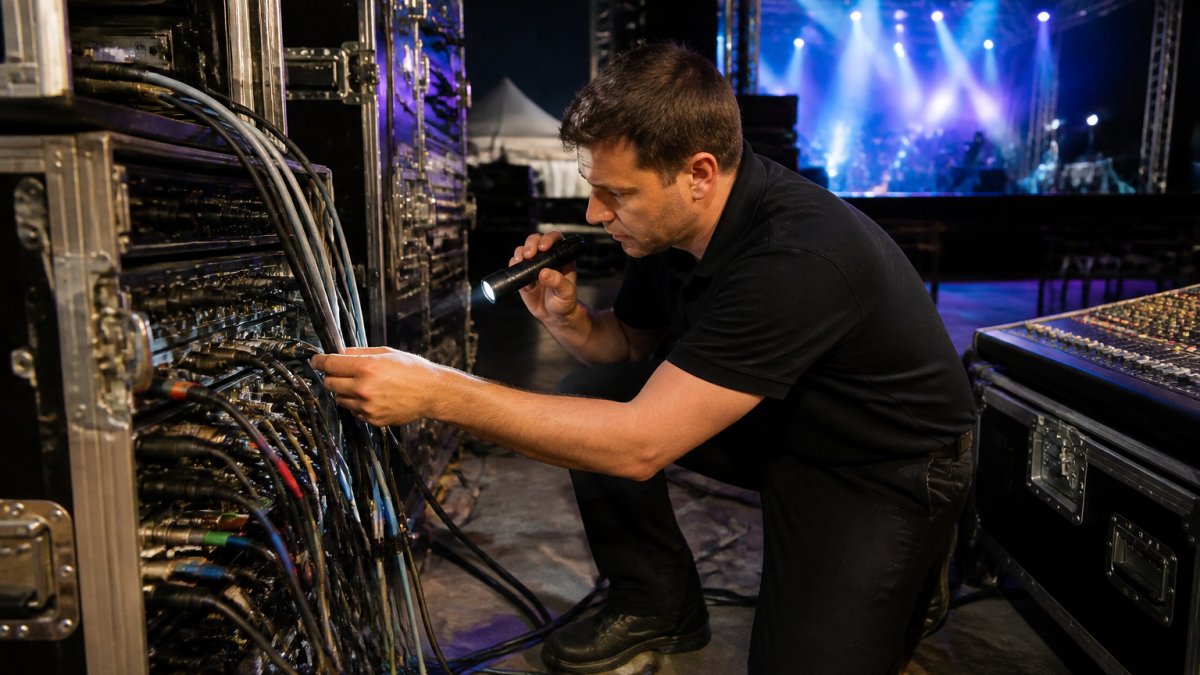
Live event AV troubleshooting follows a fixed order: confirm the symptom, isolate power and signal, then decide whether remote triage or an on-site visit solves it fastest. Working in that sequence prevents panic fixes that create new faults.
Step 1: Confirm the Symptom and Scope
Ask three questions: what stopped working, when did it stop, and how much of the system is affected. One dead microphone points to a cable or channel. A whole stage losing sound points to power, a console, or a signal router. Write down exactly what the operator sees and hears. Vague reports ("the audio is weird") cost more time than any other single factor in an emergency.
Step 2: Isolate Power, Signal, and Settings
Work from the source outward. Check that the device is powered and that breakers or power conditioners have not tripped. Then trace signal: source, cable, routing, output. Finally, check settings, because a muted channel or a changed input assignment causes a surprising share of "failures." Swap one cable at a time so you always know what changed.
Step 3: Decide Between Remote Triage and On-Site Repair
If the fault is a setting, a routing error, or a device that needs a reboot, remote support usually resolves it in minutes. If hardware has failed, a cable run is damaged, or a component needs replacement, dispatch an engineer with the right spare. Making this call early is the single biggest time saver in live event AV troubleshooting.
Event AV Backup Equipment: What to Keep On Hand
Event AV backup equipment is the spare inventory that keeps a show running when a primary component fails.
A workable baseline for a corporate general session, school assembly, or party with amplified sound and video looks like this:
- Microphones: two spare handheld dynamic mics, one spare lavalier with transmitter, and a fresh pack of AA batteries sized to the wireless systems in use
- Cables: two spare XLR runs in each common length (10 ft, 25 ft, 50 ft), two spare power cables, and one spare HDMI or SDI run long enough to reach the farthest display
- Audio path: a compact backup mixer or interface that can accept the critical inputs if the main console fails, plus a tested playback device with the event content already loaded
- Video path: a spare projector lamp or a backup display where video matters, and a signal converter or switcher that matches the venue's connector types
- Power: a tested uninterruptible power supply for control gear, plus power strips and adapters for the venue's outlet layout
- Tools and consumables: gaff tape, cable ties, a flashlight, a multimeter, and a labeled pouch of adapters
Label every spare and store it in a case that a technician can reach without leaving the room.
Testing is where most backup kits fail. Power on and check every spare before doors open, not during the failure.
Match the kit to the event's recovery priorities. For a keynote, the priority is the presenter's microphone and the main display.
For events that add tents, restrooms, or other logistical support, the same logic applies: identify the single points of failure, stage a tested backup for each, and assign one person to own the kit.
The Live Event Technical Rider: Preventing Emergencies Before Load-In
A live event technical rider is the document that specifies exactly what equipment, power, and support an event requires, and who provides it. A precise rider prevents most emergencies because it removes ambiguity before anyone arrives. For planners and production managers, the rider is where you win or lose the show.
Include these sections:
- Input list with channel count, source types, and stage positions
- Power requirements including dedicated circuits and locations
- Equipment list by category: sound systems, lighting, staging, displays
- Backline and rental responsibilities, with who supplies what
- On-site contact and escalation path, including after-hours numbers
- Load-in, soundcheck, and load-out windows
- Contingency notes for weather, power loss, and equipment failure
Review the rider with the venue and the production company together. A rider that everyone has read is a preventative maintenance tool in itself.
Building an Event Production Contingency Plan
An event production contingency plan is a written playbook for what happens when something fails: who calls whom, what gets swapped, and what the audience experiences while it is fixed. Build it before the event, not during it. The plan should name a technical coordinator, list backup equipment, set response expectations, and define the recovery priorities for the program.
A practical plan covers four layers:
- People and escalation. Name a technical coordinator, a backup contact, and the person authorized to approve a dispatch. Include after-hours numbers and a clear order of calls so no one wastes time deciding who to notify.
- Response expectations. Write down what "emergency" means for this event, what hours support is available, and whether remote triage starts immediately while a technician is en route. Ask the provider what happens on a weekend, who answers the phone, and how quickly a technician can reach the venue.
- Recovery priorities. Rank what must stay working: presenter audio, main display, stage power, or broadcast feed. The technician uses that ranking to decide which spare to deploy first.
- Audience experience. Prepare a scripted announcement, a filler segment, or backup content so the room stays calm while the fix happens.
Response Times and Service-Level Expectations
Response time is the clock from your call to a qualified person starting work on the fault. Set expectations in writing with your provider: after-hours support availability, dispatch windows, and whether remote support starts immediately while an engineer is en route. A clear service contract removes guesswork in the moment. Ask what happens on a weekend, who answers the phone, and how quickly a technician can reach the venue.
Remote Triage Versus On-Site Repair
Remote triage is the first decision point in most emergencies. If the fault looks like a setting, a routing error, or a device that needs a reboot, a remote technician can often resolve it in minutes. If hardware has failed, a cable run is damaged, or a component needs replacement, dispatch an engineer with the right spare. Many emergencies use both: remote triage confirms the problem, and a dispatched engineer arrives with the exact replacement part.
Information to Have Ready When You Call for Help
Have this ready before you dial:
- Venue name, address, and on-site contact
- A one-line description of the symptom and when it started
- Equipment make and model, if visible
- What you have already checked or changed
- Whether the event is live, in soundcheck, or pre-load-in
- Access details: parking, loading dock, and who can open doors
Clear information shortens remote triage and gets the right spare on the truck. Keep a laminated card at front of house with the venue address, equipment list, and support number so no one has to search a phone during a blackout.
Business Continuity and Event Recovery
Event recovery is the work of getting the program back on track after a failure, and business continuity is the planning that makes recovery fast. The goal is to keep the audience experience intact while the technical fix happens. Practical steps include a scripted announcement, a filler segment or backup content, and a clear signal to the production team that the issue is contained.
AudioBahn Productions builds contingency planning into production management so the escalation path, backup inventory, and recovery priorities are already in place before load-in.
On-Site vs. Remote Emergency AV Support: Which to Request
On-site support sends an engineer to the venue; remote support connects a technician to your system for diagnostics and fixes. Request remote first when the fault looks like a setting, routing, or software issue. Request on-site when hardware has failed, cabling is damaged, or the fix requires hands and tools. Many emergencies use both: remote triage confirms the problem, and a dispatched engineer arrives with the exact replacement part.
Business Continuity and Event Recovery After an AV Failure
Event recovery is the work of getting the program back on track after a failure, and business continuity is the planning that makes recovery fast. The goal is to keep the audience experience intact while the technical fix happens.
After the event, review what failed, how fast it was resolved, and what the contingency plan missed. Feed that back into your service contract and backup inventory. Every incident is a maintenance lesson if you capture it.
When a display dies at the worst possible moment, the difference is having a team that already knows your venue, your gear, and your plan. AudioBahn Productions provides concert sound, stage lighting, staging, backline, and equipment rentals, backed by end-to-end production management for scheduling, payments, and contracts.
Frequently Asked Questions
What does emergency audio visual technical support include?
Emergency audio visual technical support services typically cover rapid diagnosis of sound, display, lighting, and signal-routing failures during a live event, plus remote triage by phone or video and dispatch of an on-site technician when the problem cannot be solved remotely. Support may also include swapping in backup equipment, restoring power or signal paths, and coordinating with venue staff. Before booking, confirm what is covered, whether after-hours response is available, and how the provider handles service outside its home region.
How do you troubleshoot a microphone that stops working during an event?
Start with the fastest checks: confirm the channel is unmuted and the fader is up, replace the battery in wireless handhelds and body packs, and swap the cable or try a different input on the console. If the microphone still fails, move to a backup mic and keep the show running. Note the time, the channel, and what you changed so the technician can pick up quickly. A live event AV troubleshooting routine like this resolves many failures in under a minute.
What backup equipment should be available for a live event?
At minimum, carry spare microphone batteries, XLR and power cables, a backup wireless microphone or two, a spare DI box, and a second laptop or playback device with the presentation loaded. For video, add an extra HDMI or SDI cable and a known-good adapter. For lighting, keep spare lamps or fixtures and extension runs. Event AV backup equipment should match the gear the show actually depends on, not a generic kit, so build the list from your technical rider and the failure points you have seen before.
How can a technical rider help prevent live event AV problems?
A live event technical rider lists the equipment, power, stage, and staffing the production needs before anyone loads in. When the venue and the AV provider both sign off on it, mismatched gear, missing circuits, and unclear responsibilities get caught early instead of during the show. Include input lists, channel assignments, backup requirements, and who to call if something fails. A clear rider also shortens emergency response because the technician arrives already knowing the system.
Sound, lighting, staging and LED video. Free quote.
Frequently Asked Questions
What does emergency audio visual technical support include?
Emergency audio visual technical support services typically cover rapid diagnosis of sound, display, lighting, and signal-routing failures during a live event, plus remote triage by phone or video and dispatch of an on-site technician when the problem cannot be solved remotely. Support may also include swapping in backup equipment, restoring power or signal paths, and coordinating with venue staff. Before booking, confirm what is covered, whether after-hours response is available, and how the provider handles service outside its home region.
How do you troubleshoot a microphone that stops working during an event?
Start with the fastest checks: confirm the channel is unmuted and the fader is up, replace the battery in wireless handhelds and body packs, and swap the cable or try a different input on the console. If the microphone still fails, move to a backup mic and keep the show running. Note the time, the channel, and what you changed so the technician can pick up quickly. A live event AV troubleshooting routine like this resolves many failures in under a minute.
What backup equipment should be available for a live event?
At minimum, carry spare microphone batteries, XLR and power cables, a backup wireless microphone or two, a spare DI box, and a second laptop or playback device with the presentation loaded. For video, add an extra HDMI or SDI cable and a known-good adapter. For lighting, keep spare lamps or fixtures and extension runs. Event AV backup equipment should match the gear the show actually depends on, not a generic kit, so build the list from your technical rider and the failure points you have seen before.
How can a technical rider help prevent live event AV problems?
A live event technical rider lists the equipment, power, stage, and staffing the production needs before anyone loads in. When the venue and the AV provider both sign off on it, mismatched gear, missing circuits, and unclear responsibilities get caught early instead of during the show. Include input lists, channel assignments, backup requirements, and who to call if something fails. A clear rider also shortens emergency response because the technician arrives already knowing the system.