Integrated Sound and Lighting System Setup: A How-To
Last Updated: October 23, 2026
Quick Summary
An integrated sound and lighting system setup starts with the room, not the gear: walk the space, define what the system must do, and map power and cable paths before anything ships. Then follow a fixed signal path from source to mixer to amplifier to speakers, and build lighting around faces, stage edge, and presenters.
- Note hard surfaces, ceiling height, and load limits during the initial room walk.
- Label both ends of every cable and keep audio cable away from lighting power runs.
- Hang fixtures on rated truss or stands and secure every unit with a safety cable.
- Verify every device speaks a common protocol such as DMX-512, Art-Net, or sACN.
- Power up sources first, then mixer, amplifiers, and speakers; power down in reverse.
Table of Contents
- Start With the Room, Not the Gear
- Your Sound and Lighting Equipment Checklist
- Event Sound System Setup: Speakers, Amps, and Signal Flow
- Stage Lighting Setup for Events: Fixtures, Placement, and Focus
- Choosing an Audio and Lighting Control System
- Compatibility Checks and Installation Sequence
- Testing and Commissioning Before Guests Arrive
- Frequently Asked Questions
Start With the Room, Not the Gear
An integrated sound and lighting system setup begins with the room, not the catalog, and every sound and lighting system decision follows from it. The space decides your audio coverage, where fixtures can hang, and how much power you have. At AudioBahn Productions, we plan every show this way.
Here is the order that works:
- Walk the space and note hard surfaces, ceiling height, and load limits
- Define what the system must do for this specific event
- Map power and cable paths before anything ships
Get those three steps right and the rest of the setup gets simpler.
Define What the System Has to Do
Write down the event type, audience size, and content before you pick a component. A corporate keynote, a wedding reception, and a school assembly all need different coverage and lighting moods.
Ask these questions first:
- Will there be live music, speeches, video playback, or all three?
- Does the program need podium control or full operator control?
- Are there outdoor elements that change the power and weather plan?
A clear brief keeps equipment selection honest and stops you from renting a concert-grade rig for a 60-person meeting.
Map Power Outlets and Cable Runs Before Delivery Day
Power planning saves more show days than any other step. Walk the room with the venue's floor plan and mark every outlet, breaker panel, and cable path.
Check these before delivery:
- Total available power and which circuits feed the stage area
- Distance from the power source to the mix position and lighting truss
- Door widths and elevator sizes for load-in
Tape your cable runs down or cover them with mats. A tripping hazard is a show-stopper, and it is one of the easiest problems to prevent.
Your Sound and Lighting Equipment Checklist
A sound and lighting equipment checklist keeps load-in fast and prevents the "we forgot the adapter" scramble. Build it around your brief, then confirm every line item against the venue's capacity.
Use this as a working list:
- Audio: mixer, amplifier or powered speakers, main speakers, monitors, microphones, DI boxes, playback source
- Lighting: fixtures, truss or stands, dimmer or control unit, gels or color filters
- Control: control system, control surface, network switch if the rig is digital
Mark each item as venue-provided or brought by your team. That single habit removes most day-of surprises.
Event Sound System Setup: Speakers, Amps, and Signal Flow
Event sound system setup follows a fixed path: source to mixer, mixer to amplifier, amplifier to speakers. Keep that chain clean and most audio problems never happen.
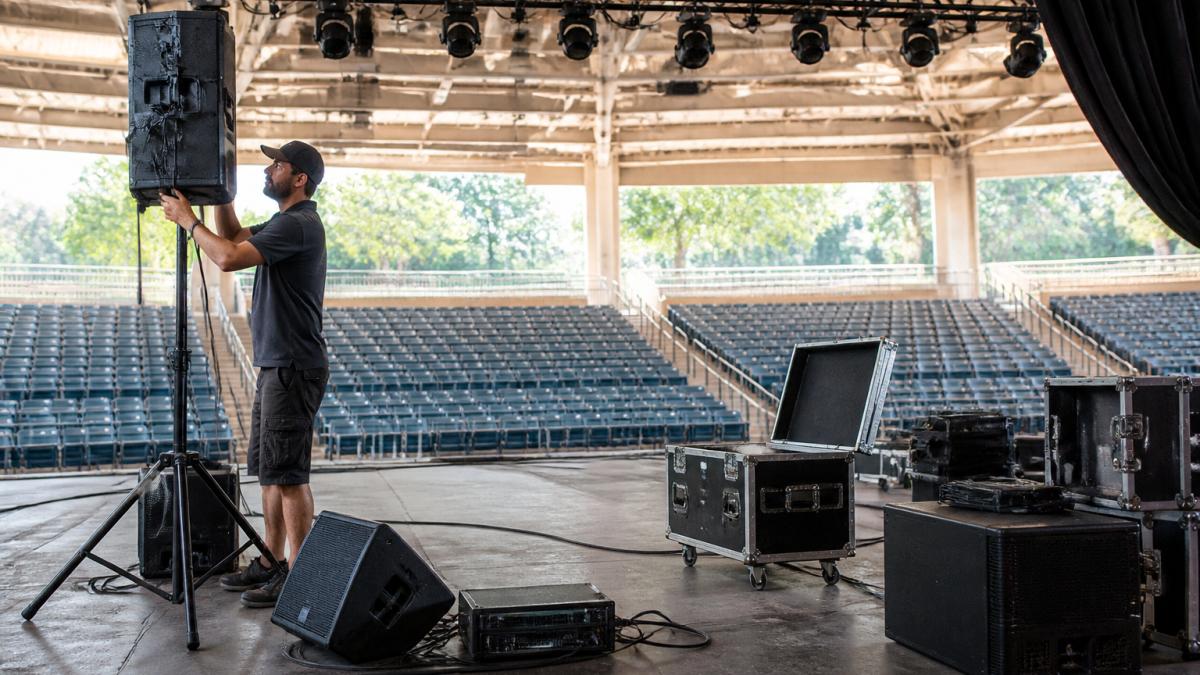
Start with the source. Connect microphones and playback devices to the mixer, set gain so nothing clips, then send the mixed signal to the amplifier. Powered speakers skip the separate amp and take the mixer output directly.
Speaker Placement and Audio Coverage
Speaker placement decides audio coverage more than speaker quality. Aim mains at the audience, not the back wall, and keep them ahead of the performers to reduce feedback.
Follow these placement rules:
- Set mains at the stage edges, angled slightly inward
- Raise speakers so the horn clears the heads of the front rows
- Place monitors facing performers, kept out of the main coverage pattern
Walk the room during soundcheck. If the back row hears mush and the front row hears roar, adjust angle and level before you touch anything else.
Wiring the Signal Path From Source to Speaker
Signal flow should run one direction with as few joins as possible. Label both ends of every cable, then follow the chain in order.
The standard path looks like this:
- Microphone or playback source into the mixer input
- Mixer main output to the amplifier or powered speaker
- Amplifier output to the main speakers
- Aux sends to stage monitors
Keep audio cable away from lighting power runs. Crossing them at right angles limits hum and interference.
Stage Lighting Setup for Events: Fixtures, Placement, and Focus
Stage lighting setup for events starts with what the audience must see: faces, the stage edge, and any presenter or performer. Build your plan around those three targets, then add color and mood.
A simple, reliable plan:
- Front light: washes the stage from the front so faces read clearly
- Side light: adds depth and separates performers from the backdrop
- Back light: creates separation and silhouette
Hang fixtures on rated truss or stands, secure every unit with a safety cable, and focus each light before doors open. Focus is the step most crews rush, and it shows.
Choosing an Audio and Lighting Control System
An audio and lighting control system ties sound and light together, letting one operator run cues, sync lighting to audio moments, and recall saved scenes. The right choice depends less on brand than on the protocols your gear speaks and how much redundancy you need.
Match the control system to the show's complexity and to the interfaces your equipment already supports:
- Small events: a compact lighting console and a basic audio mixer, run from one position. Look for consoles with DMX-512 output and mixers with at least two aux sends for monitors.
- Mid-size events: a digital console with scene recall and a lighting controller that supports cue lists. Confirm the console offers a network port (Dante, AES67, or AVB) so you can tie audio and lighting control to a single show file.
- Larger productions: networked control with a central control system, show file backups, and a dedicated operator. Use a managed network switch with VLAN separation for audio and lighting traffic, and keep a redundant control surface on standby.
Protocols and Interfaces That Must Match
Before you buy or rent, verify every device in the chain speaks a common language. The most common failure is a console outputting DMX-512 over 5-pin XLR while fixtures accept only 3-pin DMX or a proprietary protocol.
Run these compatibility checks before purchase or rental:
- Audio networking: Does the digital mixer output Dante, AES67, or AVB? Do the amplifiers or powered speakers accept the same protocol? If not, you need an analog fallback or a protocol bridge.
- Lighting control: Do the fixtures use DMX-512 (5-pin or 3-pin), Art-Net, or sACN? Does the console support the same? Art-Net and sACN run over Ethernet, so you will need a network switch and correct IP addressing.
- Control interfaces: If you plan to trigger lighting from audio (or vice versa), confirm that both systems accept MIDI, timecode, or GPIO triggers. Many mid-size consoles offer MIDI in/out; check that the audio mixer can send MIDI program changes.
Synchronization, Programming, and Automation
Synchronization makes lighting and audio feel like one performance. Program cues so lighting changes land on musical hits, speech transitions, or video playback.
Set up these basics:
- Build and save scenes for each part of the program
- Test cue timing against the actual audio
- Save a backup show file on a separate drive
For tighter sync, generate SMPTE timecode from the audio playback system and feed it to the lighting console so both chase the same clock.
Automation should serve the show, not replace the operator. A human hand on the controls is still the best backup.
Compatibility Checks and Installation Sequence
Compatibility checks prevent the classic failure of gear that will not talk to each other. Confirm connections, protocols, and power needs before anything leaves the warehouse.
Signal Flow and Wiring Examples
A clean signal path is easier to verify when you can see it. Here are two common layouts and their cable types.
Analog audio path (small to mid-size events):
- Microphone → XLR cable → mixer input
- Playback source (laptop or media player) → 1/4-inch TRS or RCA → DI box → XLR → mixer input
- Mixer main output → XLR → amplifier input (or powered speaker input)
- Amplifier output → speakON or 1/4-inch TS → main speakers
- Mixer aux send → XLR → stage monitor amplifier or powered monitor
Digital networked audio path (mid-size to large events):
- Stage box with Dante output → Cat6 Ethernet → network switch
- Network switch → Cat6 → digital mixer (Dante card)
- Mixer Dante output → Cat6 → Dante-enabled amplifier or powered speakers
- Control laptop → Cat6 → same switch (for remote mixing)
For lighting, the control path is separate:
- Lighting console → 5-pin DMX cable → DMX splitter (if more than 32 fixtures)
- Splitter → 5-pin DMX → fixture 1 → fixture 2 (daisy chain) → …
- For networked lighting: console → Cat6 → Art-Net node → DMX cable → fixtures
Keep audio cable and lighting power cable separated, crossing at right angles when they must intersect. This habit reduces hum and interference more than any expensive cable upgrade.
Electrical Safety and Power Planning
Power problems cause more show failures than equipment faults. Before you plug anything in, calculate the load and confirm the venue's circuits can handle it.
- Calculate total draw: Add the wattage of every device on a circuit. A 20-amp circuit at 120 volts provides about 2,400 watts, but you should not exceed 80% of that (1,920 watts) for continuous loads.
- Identify dedicated circuits: Ask the venue which outlets are on dedicated circuits. Stage outlets that share a circuit with a kitchen or HVAC system will trip at the worst moment.
- Ground everything: Use grounded outlets and never defeat a ground pin. For outdoor events, use GFCI protection on all circuits.
Installation Sequence
Follow a fixed order so you can test each subsystem before the next depends on it.
| Step | Task | Why It Matters |
|---|---|---|
| 1 | Position speakers, lights, and truss | Sets coverage before wiring |
| 2 | Run and label all cables | Speeds troubleshooting |
| 3 | Connect signal path source to speaker | Confirms audio chain |
| 4 | Connect and address lighting control | Confirms fixture control |
| 5 | Power up in order and test | Catches faults early |
| 6 | Focus lights and run soundcheck | Confirms show readiness |
Measurable Commissioning Checks
Before doors open, verify these measurable conditions:
- Audio coverage: Walk from front row to back row. Speech should be intelligible at every seat. If the back row sounds muffled, adjust speaker angle or add a delay fill.
- Latency: If using digital networking, confirm that audio and lighting cues land together. A common target is under 10 milliseconds of latency for audio; lighting sync should be visually instantaneous.
- Lighting control reliability: Trigger every cue in order and confirm no fixture misses a command. Check that all addresses match the console patch.
If something fails mid-show, a tested backup plan is what saves the event. That is why we build redundancy into every rig we supply.
Testing and Commissioning Before Guests Arrive
Testing and commissioning is the last gate before doors open. Run the full show, not just a channel check, and fix anything that stumbles.
Your commissioning list:
- Play every input source and confirm levels
- Run every lighting cue in order
- Check audio coverage from front row to back row
If something fails mid-show, a tested backup plan is what saves the event. That is why we build redundancy into every rig we supply.
Frequently Asked Questions
What equipment is needed for an integrated sound and lighting system setup?
At minimum you need a mixer, amplifier or powered speakers, microphones and playback sources, speaker stands or rigging, lighting fixtures with a controller or console, DMX cabling, audio cabling, and power distribution. Add a sound and lighting equipment checklist so nothing is left at the shop: spare cables, gaffer tape, a multimeter, and backup power strips. For live events, plan a central control position where the mixer and lighting console sit together so one operator can cue both. Confirm every fixture and speaker matches the room's power capacity before delivery day.
How do you coordinate stage lighting with live sound during an event?
Run both systems from a single control position and cue them against the same timeline. Program lighting looks to match the energy of each segment, then rehearse transitions with the audio so a lighting change lands on the same beat as a music cue. Keep audio and lighting cables separated by at least a few feet where runs are parallel, and use balanced audio lines to reduce interference from dimmer packs. A shared cue sheet listing song, speech, and lighting state keeps the operator synced with the stage.
How should you test an event sound and lighting system before guests arrive?
Walk the room with a test track and check audio coverage in every seating zone, then run each lighting fixture through its full range and confirm focus on the stage. Test every input, including wireless microphones, at the back of the room where the audience sits. Run the full show sequence once, including blackouts and scene changes, and check that the control system holds its programming after a power cycle. Keep spare cables and a backup power source on hand in case a channel drops out mid-show.
How do you prevent audio interference in a combined sound and lighting setup?
Keep audio signal cables away from dimmer packs, LED drivers, and lighting power runs, since those are common sources of hum and buzz. Use balanced XLR lines for long audio runs and plug audio and lighting into separate circuits where the venue allows. Ground everything to the same source and avoid lifting grounds on audio gear. Test for interference with all lighting fixtures active, not just at idle, because noise often appears only when dimmers are working. Label cables so the next technician can trace a fault quickly.
Planning an integrated sound and lighting system setup takes time, and the details are where events succeed or fail. AudioBahn Productions handles the full production for you, from scheduling and contracts to concert sound, stage lighting, staging, and backline. We also coordinate the wider logistics, including tents and restroom support, so nothing falls through the cracks. Get started with AudioBahn Productions and run your next event with one team managing the whole show.

Sound, lighting, staging and LED video. Free quote.
Frequently Asked Questions
What equipment is needed for an integrated sound and lighting system setup?
At minimum you need a mixer, amplifier or powered speakers, microphones and playback sources, speaker stands or rigging, lighting fixtures with a controller or console, DMX cabling, audio cabling, and power distribution. Add a sound and lighting equipment checklist so nothing is left at the shop: spare cables, gaffer tape, a multimeter, and backup power strips. For live events, plan a central control position where the mixer and lighting console sit together so one operator can cue both. Confirm every fixture and speaker matches the room's power capacity before delivery day.
How do you coordinate stage lighting with live sound during an event?
Run both systems from a single control position and cue them against the same timeline. Program lighting looks to match the energy of each segment, then rehearse transitions with the audio so a lighting change lands on the same beat as a music cue. Keep audio and lighting cables separated by at least a few feet where runs are parallel, and use balanced audio lines to reduce interference from dimmer packs. A shared cue sheet listing song, speech, and lighting state keeps the operator synced with the stage.
How should you test an event sound and lighting system before guests arrive?
Walk the room with a test track and check audio coverage in every seating zone, then run each lighting fixture through its full range and confirm focus on the stage. Test every input, including wireless microphones, at the back of the room where the audience sits. Run the full show sequence once, including blackouts and scene changes, and check that the control system holds its programming after a power cycle. Keep spare cables and a backup power source on hand in case a channel drops out mid-show.
How do you prevent audio interference in a combined sound and lighting setup?
Keep audio signal cables away from dimmer packs, LED drivers, and lighting power runs, since those are common sources of hum and buzz. Use balanced XLR lines for long audio runs and plug audio and lighting into separate circuits where the venue allows. Ground everything to the same source and avoid lifting grounds on audio gear. Test for interference with all lighting fixtures active, not just at idle, because noise often appears only when dimmers are working. Label cables so the next technician can trace a fault quickly.