How to Choose AV Equipment for a Small Corporate Event?
Last Updated: November 26, 2026
Quick Summary
To choose AV equipment for a small corporate event, start with the event type, goals, and presentation format, then size your sound, display, and lighting to the room and audience. Make sure every seat can hear and see clearly. Add backup gear and a support plan before you book.
- Write down the event type, goal, and presentation format before requesting any quotes.
- Measure the room, seat count, and the farthest seat from the stage or screen.
- Include at least one audience microphone so questions can be heard from the back.
- Size the screen so the farthest viewer can read the smallest text on the slides.
- Test a full slide deck, including videos and audio, at the venue before the event.
Table of Contents
- Start With Your Event Type, Goals, and Presentation Format
- Size Your Room and Audience Before You Shop
- Choose a Sound System and Microphones That Cover Every Seat
- Pick a Projector and Screen for Presentations
- Plan Hybrid Meeting AV Equipment and Backup Options
- Use a Small Event AV Checklist to Book Your Equipment
- Frequently Asked Questions
AV equipment for a small corporate event is not a shopping list. It is a set of decisions about what your audience must see and hear, and what can go wrong on the day. The right package for a 40-person product briefing is very different from one for a 150-person leadership offsite, so start with the event itself before talking about gear.
The short answer: match your sound, display, and lighting to your event type, room, and audience size first, then add backup and support. Plan for the presenter, the room, and the failure you least want to face.
Start With Your Event Type, Goals, and Presentation Format
Every equipment choice starts with one question: what must the audience do during the event? A keynote needs clear speech and readable slides. A panel needs several microphones and camera-friendly lighting. A training session needs screens that people in the back row can read.
Write down three things before you request any quotes:
- Event type: keynote, panel, breakout, product launch, training, or awards dinner
- Goal: inform, persuade, discuss, or entertain
- Presentation format: slides, video clips, live demos, speakers standing at a podium, or a seated panel
A common mistake is buying for the best-case speaker. Plan for the speaker who wanders, the one who turns away from the mic, and the one who plays a video with sound. Those habits drive your microphone and speaker choices more than the slides do.
Size Your Room and Audience Before You Shop
Room size and audience count shape almost every other decision, but most planners stop at measuring the room. The useful step is turning those measurements into sizing rules you can hand to an AV provider. A small room with hard walls and glass will bounce sound around, which makes speech hard to understand even with good speakers. A carpeted room with soft furniture will absorb sound and may need more volume to reach the back row.
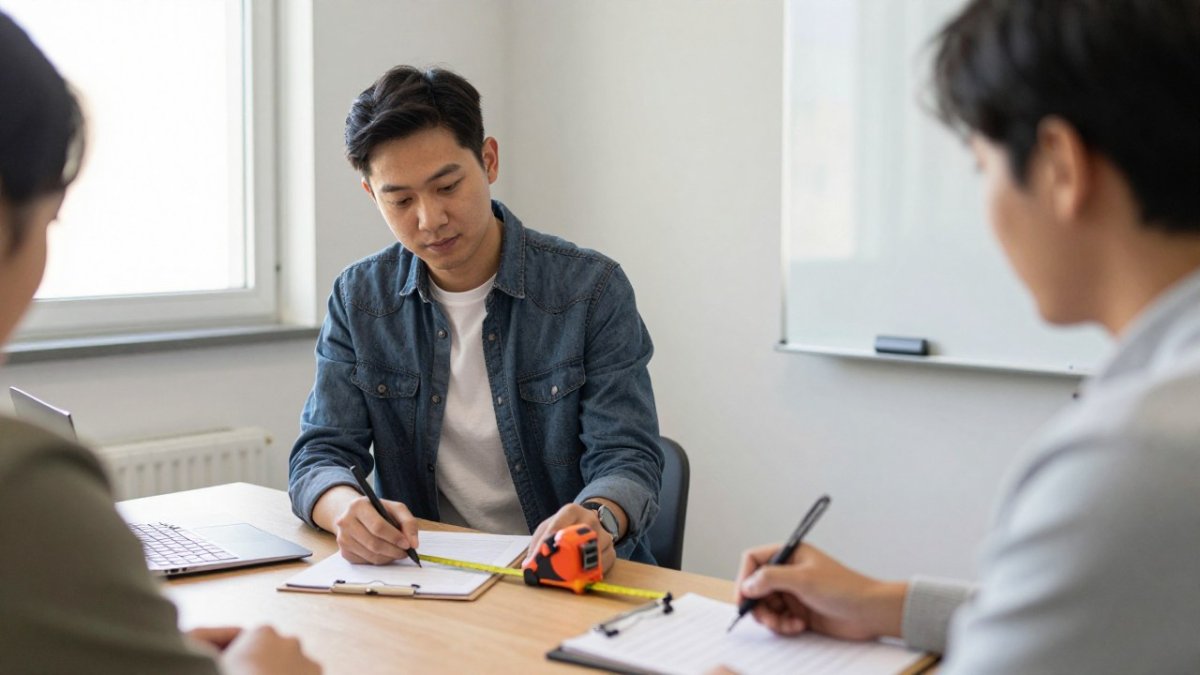
Measure the room and note these details:
- Length, width, and ceiling height
- Number of seats and the farthest seat from the stage or screen
- Hard surfaces such as glass, tile, and bare walls
- Soft surfaces such as carpet, drapes, and upholstered chairs
- Where the presenter will stand and where the audience will sit
Share these measurements with your AV provider early. It saves time and prevents surprises on setup day, and it gives the provider a shared baseline to confirm or adjust.
Choose a Sound System and Microphones That Cover Every Seat
Audio is the first thing people judge at any event. If they cannot hear the speaker clearly, they stop paying attention no matter how good the slides look. The goal is even coverage: every seat hears the same comfortable level, and no seat is blasted by a speaker aimed at the front row.
For most small corporate events, plan for:
- Speakers: Enough coverage to reach the back row at a comfortable volume without overpowering the front. Place speakers at the front edges of the stage and aim them slightly inward and down toward the seating, not straight back at the wall.
- Presenter microphone: A handheld or headset mic for the main speaker, with a backup. A lavalier works for a presenter who stays in one place; a headset or handheld is more forgiving for someone who moves or turns away.
- Audience microphone: At least one handheld or boom mic for audience questions. A roving mic with a runner is more reliable than asking people to shout from their seats.
- Mixer or audio processor: To balance levels between mics, playback, and any music, and to keep a consistent level as the presenter moves.
Audience questions are often where small events lose the room. Plan a roving mic or a runner who can carry one, and test it before the event. Wireless microphones are convenient, but they need clear frequency planning. Ask your provider how they handle interference in your building, especially if the venue has existing wireless systems, Wi-Fi access points, or nearby broadcast traffic.
A common pattern is to under-budget the audience mic and over-budget the presenter mic. In a small room, the presenter is usually close to a speaker and easy to hear, while the question comes from the back corner. Balance the plan around the seats that are hardest to cover.
Watch out: a single speaker placed at one side of a wide room will leave the opposite side quiet and the near side loud. If your seating is wider than it is deep, ask for a second speaker or a different placement before you approve the quote.
Pick a Projector and Screen for Presentations
Display choices depend on room size, lighting, and how much detail your slides contain. A projector works well in a dim room and gives a large image. A flat-panel display can work better in a bright room or when the screen sits close to the audience.
Key points to check:
- Screen size: The farthest viewer should still read the smallest text on the slide
- Brightness: Projectors need a darker room, so plan lighting around the display
- Input compatibility: Confirm that your laptop, adapters, and presentation software connect to the system
- Placement: Keep the screen visible from every seat without forcing guests to turn their heads sharply
Test a full slide deck, including videos and embedded audio, at the venue before the event. Many problems that show up on the day come from unexpected file formats or missing adapters.
Display choices depend on room size, lighting, and how much detail your slides contain. Use these checks to size the screen and confirm the setup before the event.
| Check | What to confirm | Why it matters |
|---|---|---|
| Screen size | Farthest viewer can read the smallest text | Keeps slides readable from every seat |
| Brightness | Plan lighting around the projector | Projectors need a darker room |
| Input compatibility | Laptop, adapters, and software connect | Prevents day-of connection failures |
| Placement | Screen visible from every seat | Avoids sharp head turns |
Plan Hybrid Meeting AV Equipment and Backup Options
If anyone will join remotely, add equipment for that connection early. A remote participant needs a camera that frames the room, a microphone that picks up the room, and a way to hear the speaker clearly. These three parts often fail together when they are not tested as one system.
Backup planning matters more for small events than many planners expect, because one failed part can stop the whole program. Consider:
- A spare microphone and battery packs for wireless mics
- An extra presentation laptop or a second copy of the deck on a USB drive
- A backup cable or adapter for each type of connection used
- A clear plan for who fixes a problem during the event and how fast they can respond
Ask your AV provider how they handle failure during an event. A reliable provider should explain who is on site, how long a repair takes, and what happens if a key component stops working.
Use a Small Event AV Checklist to Book Your Equipment
Use this checklist to make sure you request the right equipment and confirm details before the event:
- Event type, goals, and presentation format written down
- Room measurements, seat count, and farthest seat distance recorded
- Speakers sized for the room and audience
- Presenter microphone and a backup
- At least one audience microphone for questions
- Projector or display sized for the farthest viewer
- Laptop, adapters, and file formats tested in the room
- Lighting planned around the display and speaker area
- Hybrid connection tested, if remote participants will join
- Backup gear and a named person responsible for on-site fixes
Once your checklist is complete, request a quote that lists each item by name. Ask about setup time, teardown time, and whether a technician will stay on site during the event. Those details often matter more than the day rate.
If you are planning an event in the South Bend or Mishawaka area, you can request a custom production quote from AudioBahn Productions. Our team can also review your room and presentation plan before you commit. For a closer look at how sound, lighting, and staging come together in our commercial installs, see our commercial AV installation services.
Tell AudioBahn Productions about your room, audience, and presentation format to discuss a setup that fits your goals. Get started with AudioBahn Productions and walk into your next event with the sound, display, and support you need.
Frequently Asked Questions
What type of sound system is best for a small corporate event?
For most small corporate events in a room holding roughly 25 to 150 people, a compact powered speaker pair or a small line array with one or two wireless handheld or lapel microphones covers the space well. Match the speaker output to room size rather than buying the largest system you can afford, and confirm that the sound reaches the back row evenly. If the event includes live music or a panel with several speakers, add a small mixer so each microphone can be adjusted separately. Test the system in the actual room before the event, and ask your AV provider to walk the space with you during the setup.
Do I need a microphone for a small corporate event?
Yes, in almost every case. Even in a quiet room, a speaker who is not amplified becomes hard to hear past the first few rows, and recorded or streamed audio depends on a clean microphone signal. A lavalier or headset microphone works well for presenters who move around, while a handheld wireless microphone suits panels and audience questions. Plan at least one microphone for the audience so that questions are captured for both the room and any remote attendees.
How do I choose a projector or display for a corporate presentation?
Start with the room size and the distance from the projector to the screen, then choose a projection screen large enough that the farthest seat can read the smallest text on your slides. A projector with adequate brightness for the room's lighting matters more than resolution for most presentations, so check the lumen rating against how much ambient light the room gets. For rooms with strong daylight or where a dim setting is not possible, a large display panel may work better than a projector. Confirm the connection options, such as HDMI and wireless casting, match the devices presenters will use.
What equipment is needed for a hybrid or virtual corporate meeting?
A hybrid meeting needs a camera that frames the speakers, a microphone system that captures the room clearly, and a way to send the audio and video to the online platform. Many small rooms use a single conference camera with built-in microphones or a ceiling microphone array, plus a computer or streaming device connected to the display. Test the full connection with the remote platform several days before the event, and keep a backup microphone and a spare network connection available in case one part fails.

Sound, lighting, staging and LED video. Free quote.
Frequently Asked Questions
What type of sound system is best for a small corporate event?
For most small corporate events in a room holding roughly 25 to 150 people, a compact powered speaker pair or a small line array with one or two wireless handheld or lapel microphones covers the space well. Match the speaker output to room size rather than buying the largest system you can afford, and confirm that the sound reaches the back row evenly. If the event includes live music or a panel with several speakers, add a small mixer so each microphone can be adjusted separately. Test the system in the actual room before the event, and ask your AV provider to walk the space with you during the setup.
Do I need a microphone for a small corporate event?
Yes, in almost every case. Even in a quiet room, a speaker who is not amplified becomes hard to hear past the first few rows, and recorded or streamed audio depends on a clean microphone signal. A lavalier or headset microphone works well for presenters who move around, while a handheld wireless microphone suits panels and audience questions. Plan at least one microphone for the audience so that questions are captured for both the room and any remote attendees.
How do I choose a projector or display for a corporate presentation?
Start with the room size and the distance from the projector to the screen, then choose a projection screen large enough that the farthest seat can read the smallest text on your slides. A projector with adequate brightness for the room's lighting matters more than resolution for most presentations, so check the lumen rating against how much ambient light the room gets. For rooms with strong daylight or where a dim setting is not possible, a large display panel may work better than a projector. Confirm the connection options, such as HDMI and wireless casting, match the devices presenters will use.
What equipment is needed for a hybrid or virtual corporate meeting?
A hybrid meeting needs a camera that frames the speakers, a microphone system that captures the room clearly, and a way to send the audio and video to the online platform. Many small rooms use a single conference camera with built-in microphones or a ceiling microphone array, plus a computer or streaming device connected to the display. Test the full connection with the remote platform several days before the event, and keep a backup microphone and a spare network connection available in case one part fails.