7 Steps to Choose Audio Equipment Rentals for Events
Last Updated: November 2, 2026
Quick Summary
To choose audio equipment rentals, start with a written checklist covering event type, room size, audience count, power access, and load-in routes before you look at gear. Match speakers and microphones to your venue, then confirm mixer inputs, cables, and wireless frequency coordination in writing. Ask about delivery, setup, technician support, and what the quote includes before you book.
- Build a checklist covering event basics, the space, and the people before booking any gear.
- Small rooms under 100 guests typically need two powered speakers, one wireless handheld mic, and one lavalier.
- Add at least two spare mixer channels beyond your counted inputs for last-minute additions.
- Confirm the wireless frequency band and any venue conflicts before you book.
- Get the input list, connector types, cable lengths, and power requirements in writing before signing.
Table of Contents
- Start With an Audio Equipment Rental Checklist
- Match Speakers and Microphones to Your Venue
- Plan Your Event Sound System Rental Around the Room
- Confirm Mixers, Inputs, and Equipment Compatibility
- Audio Equipment Rental Questions to Ask Before You Book
- What a Sound Equipment Rental Setup Should Include
- Book Your Audio Equipment Rentals With a Free Walkthrough
- Frequently Asked Questions
Start With an Audio Equipment Rental Checklist
The fastest way to get audio equipment rentals wrong is to start with gear instead of questions.
An audio equipment rental checklist is a written list of event details you confirm before booking gear. It covers event type, room size, audience count, power access, load-in routes, and equipment compatibility.
Build yours in three parts:
- The basics: event date, start and end times, load-in window
- The space: room dimensions, ceiling height, indoor or outdoor
- The people: expected headcount, speakers, performers, and who runs the gear
Below, we'll show you exactly what to confirm in each part so your rental quote matches your actual event.
Event Type, Room Size, and Audience Count
Event type sets the tone of the rental. A corporate conference needs clean speech and reliable wireless mics. A wedding reception needs music playback plus toasts.
Room size and audience count set the scale. A banquet hall for 150 people needs far less speaker coverage than an outdoor festival site. Give your rental provider all three numbers, not just one.
Power, Access, and Load-In Details
Power and access details sink more events than bad speakers. Confirm these before you book:
- How many dedicated circuits the room has, and where they sit
- Whether the load-in door fits speaker cases and truss
- Elevator size and weight limits for upper-floor rooms
Watch out: assuming a venue's house power will run a full rig is a common and expensive mistake. Ask for the circuit map and share it with your rental provider.
For PA, lighting, and wireless mic rentals, see our PA, lighting and wireless mic rentals.
Match Speakers and Microphones to Your Venue
Speakers and microphones should match the room's size, shape, and surface materials. A speaker that fills a ballroom will overwhelm a small meeting room, and a single podium mic will disappear in a reverberant hall. Match the gear to the space, not to a catalog photo.
Start with these pairings:
- Small rooms under 100 guests: two powered speakers on stands, one wireless handheld mic, one lavalier
- Mid-size rooms, 100 to 400 guests: four-point speaker coverage, wireless mics, a small mixer
- Large rooms and outdoor sites: line array or stacked arrays, subwoofers, monitor wedges, a digital console
For PA system rental details, see our sound system rentals.
How Many Speakers You Actually Need
Speaker count depends on coverage, not just crowd size. A long narrow room needs different placement than a wide ballroom.
A practical way to size coverage is to work in three numbers: the throw distance from the speaker to the farthest seat, the horizontal angle the speaker must cover, and the target level at the back row. Speaker coverage angles and throw distances vary by model, so ask your rental provider to size the coverage for your specific room.
For speech-first events, aim for a consistent level across the seating area rather than a loud front row and a quiet back row.
For larger rooms and outdoor sites, line arrays are often used because they can spread sound more evenly than stacked boxes.
How Many Microphones and Inputs to Plan
Microphone count is usually driven by the program, not the headcount. A common pattern is one handheld per presenter plus one spare, one lavalier per speaker who needs hands free, and one or two handhelds for audience Q&A.
Translate that into mixer inputs before you book. Count every source that needs its own channel: each microphone, each playback device, each laptop or phone feed, and each instrument if there is live music.
Write your microphone and input count as a simple list, source, type, and whether it is wired or wireless, and send it with your quote request. Providers can size the mixer and wireless package from that list far more accurately than from a headcount alone.
Matching Microphones to the Room
Microphone choice should follow the room as much as the speaker choice does. In a reverberant hall, directional handheld and lavalier mics pick up less reflected sound than wide-pattern mics, and keeping presenters close to the mic matters more than adding speakers.
If the room echoes badly, more speakers will not fix it. Treatment, placement, and microphone technique will.
Here is a quick reference for matching speaker and microphone packages to room size.
| Room size | Guests | Typical setup |
|---|---|---|
| Small rooms | Under 100 | Two powered speakers on stands, one wireless handheld mic, one lavalier |
| Mid-size rooms | 100 to 400 | Four-point speaker coverage, wireless mics, a small mixer |
| Large rooms and outdoor sites | Not specified | Line array or stacked arrays, subwoofers, monitor wedges, a digital console |
Plan Your Event Sound System Rental Around the Room
Room acoustics change what gear you need. Hard surfaces like glass, tile, and concrete bounce sound and create echo. Carpet, drapes, and upholstered seating absorb it. An event sound system rental plan should account for both.
Practical fixes that cost little:
- Add soft goods like pipe-and-drape to reduce echo
- Aim speakers away from bare walls and glass
- Keep speakers elevated above head height
If the room echoes badly, more speakers won't fix it. Treatment and placement will.
Confirm Mixers, Inputs, and Equipment Compatibility
Compatibility is where rental packages quietly fall apart. A mixer with too few input channels, a wireless mic on the wrong frequency band, or a missing cable can stall your setup. Confirm the full signal chain before you sign.
Use this compatibility check:
- Count every input: mics, instruments, playback devices, laptops
- Confirm the mixer has spare channels beyond your count
- Check wireless mic frequency coordination for the venue
A common mistake is booking a mixer that fits today's needs with no room to grow. Leave at least two spare channels for last-minute additions.
Connectors, Cables, and Signal Flow
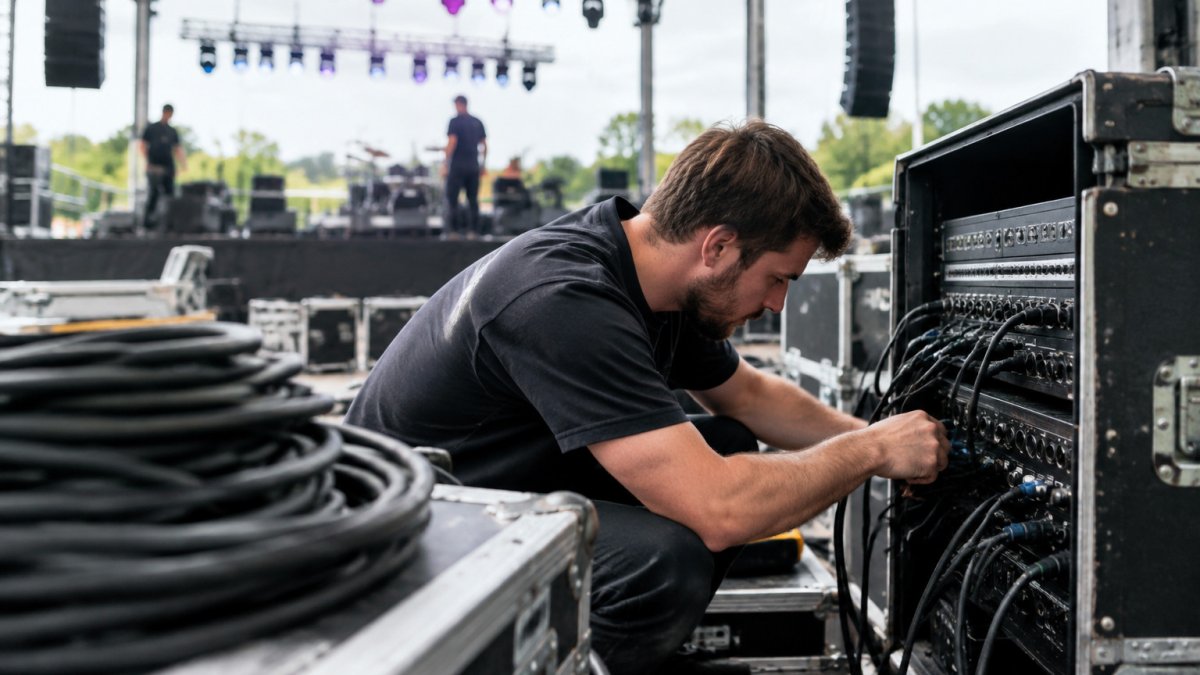
Most setup problems come down to a connector that does not match or a cable that is too short. Walk the signal chain from source to speaker and confirm each link:
- Microphones to mixer: most wired mics use XLR; confirm the mixer has enough XLR inputs rather than line inputs, because a mic into a line input will be too quiet and noisy.
- Playback and laptops to mixer: plan on DI boxes or adapter cables for 3.5 mm, 1/4-inch, and RCA outputs, and confirm whether the mixer accepts balanced or unbalanced connections at that point.
- Mixer to powered speakers: usually XLR or 1/4-inch balanced; confirm the cable run length and whether the provider supplies long enough runs to reach each speaker position.
Cable length is a real constraint, not a detail. Measure the distance from the mixer position to the farthest speaker and to the stage, then add slack for routing around walkways. A cable that is a few feet short forces a last-minute reposition of the whole setup.
Do not assume the venue's house system and your rental gear will connect cleanly. Ask whether the house system accepts an external feed and what connector it expects, and confirm who supplies the adapter.
Wireless Frequency Coordination
Wireless microphones share radio spectrum with other users, and the venue may already have wireless systems, Wi-Fi, or other transmitters running. Before you book, confirm the frequency band of the rental wireless and whether the venue has known conflicts in that band. If the event is in a dense area or a building with many wireless devices, plan on a coordination check at load-in and keep a wired microphone on hand as a backup.
Power Requirements and Distribution
Add up the power draw of the gear you are renting, then compare it to the circuits the venue can dedicate. Powered speakers, amps, consoles, and lighting should not share a single circuit with catering equipment or HVAC loads. Ask for the circuit map, confirm where each circuit sits relative to the stage, and plan power distribution so cables do not cross walkways.
A Simple Compatibility Sign-Off
Before you sign, get these in writing from the provider: the input list and channel count, the connector types and cable lengths included, the wireless frequency band, the power requirements, and who supplies stands, cables, DI boxes, and adapters. That sign-off is what prevents a load-in surprise.
Audio Equipment Rental Questions to Ask Before You Book
Ask these audio equipment rental questions before you commit, and get the answers in writing. The answers separate a smooth event from a stressful one.
- Who delivers, sets up, and tests the gear?
- What happens if equipment fails mid-event, and how fast is the response?
- Are delivery, setup, and teardown included or billed separately?
What a Sound Equipment Rental Setup Should Include
A complete sound equipment rental setup covers far more than speakers. It includes the full signal chain, power, cabling, and the people who run it.
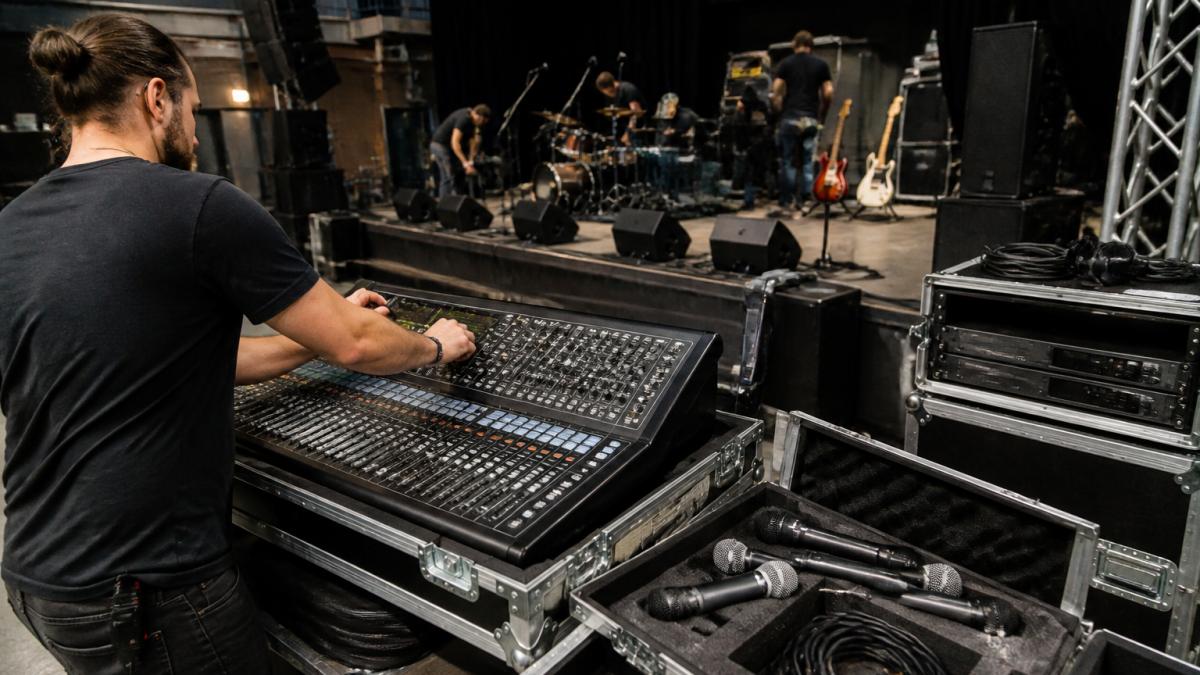
A complete setup typically includes:
- Speakers, subwoofers, and monitors
- Microphones, wired and wireless
- Mixer or digital console
- Cables, stands, and DI boxes
Professional-grade equipment matters, but the crew behind it matters more. Confirm both.
Book Your Audio Equipment Rentals With a Free Walkthrough
Booking audio equipment rentals works best when someone walks your space first. A walkthrough catches power, access, and acoustic issues a phone call misses. At AudioBahn Productions, we offer a free walkthrough and evaluation of your system, and we recommend only the upgrades you actually need.
Ready to scope your event? Register and tell us about your room, your crowd, and your timeline.
Frequently Asked Questions
What audio equipment do I need to rent for an event?
It depends on the event type and room. A corporate presentation usually needs two speakers on stands, a small mixer, and two wireless microphones. A live band needs a larger PA, monitors, and multiple vocal and instrument mics. Build your list from a needs-assessment checklist: event type, venue size, audience count, power access, and whether you need playback or live sound. Then confirm quantities and compatibility with the rental provider before you book.
How many speakers do I need for an event?
A common starting point is one main speaker per side for rooms up to a few hundred guests, with the pair spaced to cover the seating area evenly. Larger halls or outdoor spaces may need delay speakers so the back rows hear clearly. Room acoustics, ceiling height, and audience size all change the answer, so ask the rental company to size the system for your specific venue rather than guessing from a chart.
What should I ask an audio equipment rental company?
Ask what is included in the quote (cables, stands, delivery, and setup labor), who is responsible if a piece fails mid-event, and how quickly they can respond on site. Confirm the equipment matches your technical specs, ask about backup gear, and check whether a technician is available. These audio equipment rental questions separate a smooth event from a stressful one, so get answers in writing before you sign.
Do I need an audio technician for my event?
Small meetings with a single microphone and playback often run fine with a self-service setup and a quick briefing. Events with live bands, multiple presenters, or complex cue changes benefit from a technician who can run soundcheck, mix levels, and troubleshoot during the show. If your team is volunteer-run, ask about training or on-site support so someone knows the signal flow before doors open.
Every event carries risk: a dead mic, a tripped breaker, a room that echoes worse than expected. The right rental partner removes most of that risk before show day. AudioBahn Productions handles concert sound, stage lighting, staging, backline, and equipment rentals, with scheduling, payments, and contracts managed end to end. Get started with AudioBahn Productions and walk into your event knowing the sound is handled.

Sound, lighting, staging and LED video. Free quote.
Frequently Asked Questions
What audio equipment do I need to rent for an event?
It depends on the event type and room. A corporate presentation usually needs two speakers on stands, a small mixer, and two wireless microphones. A live band needs a larger PA, monitors, and multiple vocal and instrument mics. Build your list from a needs-assessment checklist: event type, venue size, audience count, power access, and whether you need playback or live sound. Then confirm quantities and compatibility with the rental provider before you book.
How many speakers do I need for an event?
A common starting point is one main speaker per side for rooms up to a few hundred guests, with the pair spaced to cover the seating area evenly. Larger halls or outdoor spaces may need delay speakers so the back rows hear clearly. Room acoustics, ceiling height, and audience size all change the answer, so ask the rental company to size the system for your specific venue rather than guessing from a chart.
What should I ask an audio equipment rental company?
Ask what is included in the quote (cables, stands, delivery, and setup labor), who is responsible if a piece fails mid-event, and how quickly they can respond on site. Confirm the equipment matches your technical specs, ask about backup gear, and check whether a technician is available. These audio equipment rental questions separate a smooth event from a stressful one, so get answers in writing before you sign.
Do I need an audio technician for my event?
Small meetings with a single microphone and playback often run fine with a self-service setup and a quick briefing. Events with live bands, multiple presenters, or complex cue changes benefit from a technician who can run soundcheck, mix levels, and troubleshoot during the show. If your team is volunteer-run, ask about training or on-site support so someone knows the signal flow before doors open.